Comment supprimer en toute sécurité les filigranes des images générées par IA : le guide professionnel 2026
Table des matières
En 2026, pour supprimer en toute sécurité les filigranes des images générées par IA, les professionnels s’appuient sur Gemini Watermark Cleaner avec Reverse Alpha Blending (mélange Alpha inversé) pour une restauration sans perte, ou sur AI Inpainting (retouche IA) pour les textures plus détaillées. Bien que les logos visibles disparaissent, gardez à l’esprit que les métadonnées invisibles SynthID restent généralement présentes, ce qui peut nécessiter une divulgation éthique dans tout projet commercial.
Le cadre 2026 pour une suppression sûre des filigranes IA
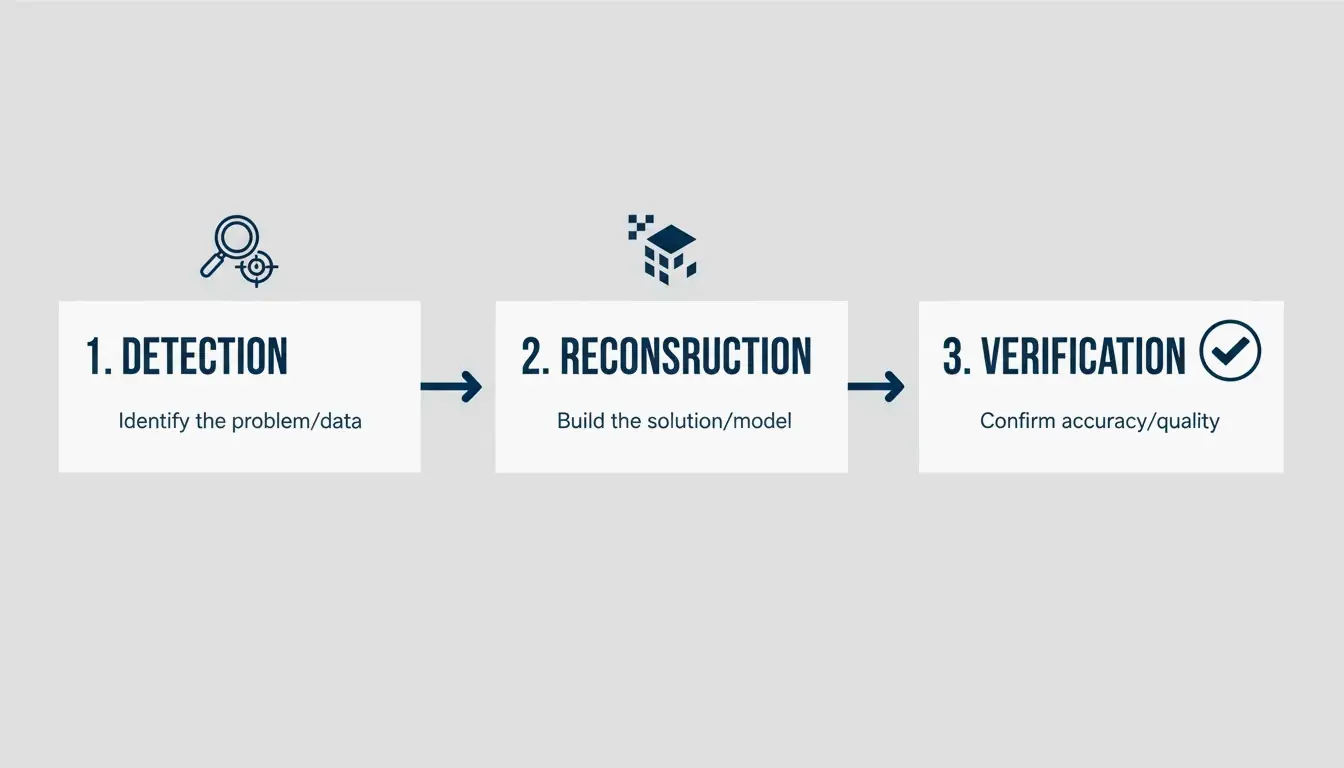
La restauration d’images professionnelle est passée d’éditions simples et approximatives à une reconstruction mathématique précise. En 2026, le flux de travail standard pour nettoyer le contenu généré par IA suit un processus en trois étapes : Détection (Detection), Reconstruction Mathématique (Mathematical Reconstruction) et Vérification des Métadonnées (Metadata Verification). Selon le Digital Media Institute, les outils de restauration IA sont désormais 40% plus précis qu’en 2024, rendant possible une récupération des pixels quasi parfaite.
Contrairement aux filigranes pleins que l’on trouve dans la photographie traditionnelle, les filigranes générés par IA — comme l’étoile à quatre branches de Google ou la mention « Imagined with AI » de Meta — sont souvent semi-transparents. Le simple recadrage de l’image ne répond pas aux normes professionnelles, car il ruine la composition et coupe des détails de bord importants. Une approche professionnelle garantit que les textures situées en dessous — qu’il s’agisse de peau, de tissu ou d’un dégradé complexe — sont réellement restaurées plutôt que simplement floutées.
Étape 1 : Analyser le type de filigrane (statique vs semi-transparent)
Votre premier réflexe doit être de déterminer si le filigrane est un logo plein et opaque ou une superposition semi-transparente. Les marques statiques nécessitent généralement l’AI Inpainting (retouche IA), où le logiciel « remplit » (fills in) l’arrière-plan manquant en prédisant ce qui devrait s’y trouver d’après les pixels environnants. Les marques semi-transparentes, courantes dans les sorties Gemini, sont mieux traitées avec le Reverse Alpha Blending (mélange Alpha inversé). Cette méthode calcule les valeurs de pixels d’origine cachées derrière la transparence.
Étape 2 : Choisir entre reconstruction et génération
L’outil approprié dépend de la complexité de l’arrière-plan. Si vous travaillez sur un arrière-plan simple comme un ciel dégagé ou un mur de studio, la reconstruction standard fonctionne parfaitement. Cependant, pour les motifs détaillés comme les feuilles ou les visages humains, les professionnels se tournent vers des modèles génératifs comme Flux Klein 9B. Ces modèles comprennent la structure de l’image et peuvent remplir la zone masquée pour qu’elle paraisse naturelle.
Utiliser Reverse Alpha Blending pour des résultats professionnels sans perte
Le Reverse Alpha Blending (mélange Alpha inversé) est le choix de prédilection pour des résultats professionnels en 2026, car il restaure les pixels d’origine au lieu d’en inventer de nouveaux. Considérez le filigrane comme une couche mathématique. En inversant l’équation spécifique utilisée lors de la création de l’image, les outils peuvent retrouver la couleur et la luminosité exactes des pixels sous-jacents.
Cette méthode est particulièrement efficace pour le logo « Nano Banana » de Google Gemini. Comme le souligne GargantuaX sur GitHub, cet algorithme précis évite l’aspect « aléatoire » (random) des remplissages génératifs, vous n’obtenez donc ni bords mous ni taches floues.
Prenons l’exemple de Liam, un vendeur e-commerce qui a utilisé la détection IA et le mélange inversé pour nettoyer des dizaines d’images de fournisseurs. En utilisant Gemini Watermark Cleaner, il a pu traiter les logos par lots sans altérer les couleurs des produits ni les textures d’arrière-plan, préservant ainsi l’aspect de haute qualité requis pour une vitrine professionnelle.
Qu’est-ce que SynthID ? Comprendre le suivi invisible que vous ne pouvez pas voir
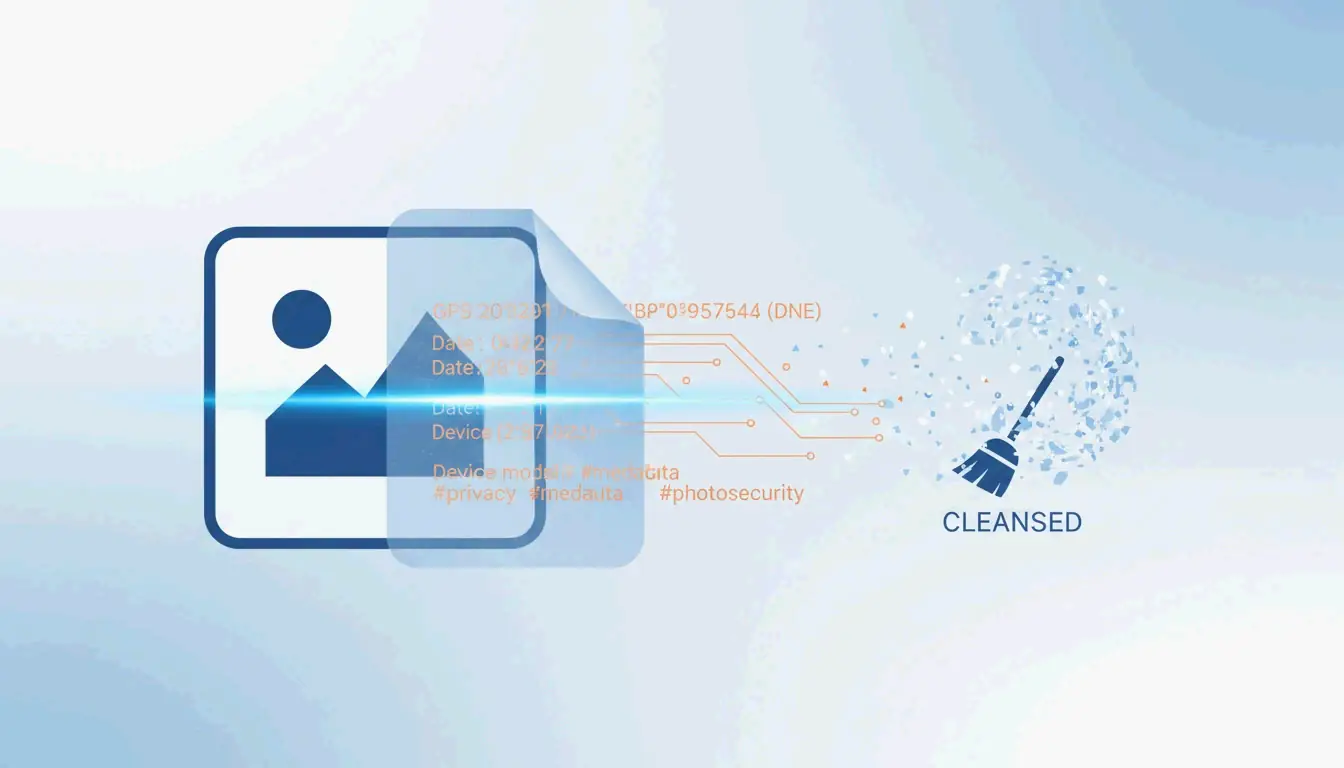
Même après la disparition d’un filigrane visible, l’image peut rester « marquée » (tagged). Google utilise SynthID, une technologie qui intègre un filigrane numérique directement dans les données des pixels. Contrairement à un logo visible, SynthID est invisible à l’œil nu et conçu pour survivre aux éditions telles que le recadrage, le redimensionnement ou la modification des couleurs.
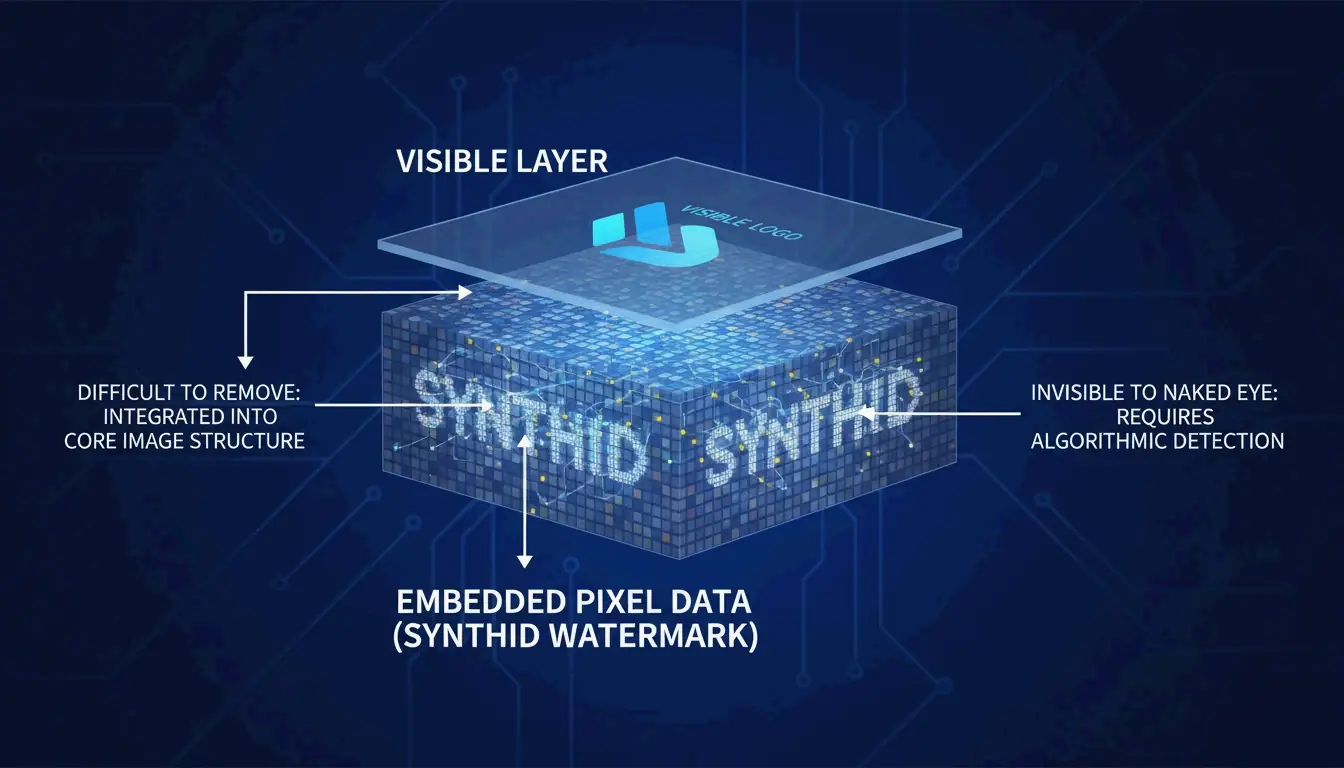
L’expert Wilnick Nemours souligne que supprimer le logo visuel n’efface pas l’historique numérique. SynthID reste au niveau du signal, ce qui signifie qu’en 2026, l’image sera toujours signalée comme « générée par IA » (AI-generated) par les outils professionnels et les plateformes de médias sociaux. Cela compte pour le SEO et la transparence des plateformes, car les moteurs de recherche et les réseaux sociaux privilégient de plus en plus l’étiquetage du contenu IA. Les professionnels doivent comprendre que même si l’image paraît propre, son « empreinte » (fingerprint) numérique est toujours là.
Comparatif d’outils professionnels : GStory AI vs. Photoshop Content-Aware Fill
Le meilleur outil pour la tâche dépend du nombre d’images que vous avez et du modèle IA qui les a créées. En 2026, le marché se partage entre l’IA cloud spécialisée et les logiciels traditionnels. Selon Digen.ai, 85% des suites professionnelles de vidéo et d’image intègrent désormais l’IA générative comme fonctionnalité standard.
| Caractéristique | GStory AI | Photoshop Content-Aware Fill |
|---|---|---|
| Idéal pour | Traitement par lots à grand volume | Contrôle manuel précis |
| Logique | Reconstruction générative | Analyse des pixels voisins |
| Confidentialité | Traitement cloud | Local uniquement (sécurisé) |
| Complexité | Gère les filigranes complexes en mosaïque | Idéal pour les logos d’angle simples |
GStory AI est la référence pour les travaux à grand volume où la rapidité est prioritaire. Il excelle dans le traitement des filigranes complexes en mosaïque grâce à des modèles avancés comme Flux Klein 9B. D’autre part, le Content-Aware Fill de Photoshop (remplissage selon le contenu) reste le choix fiable pour les données sensibles, car tout le traitement se fait sur votre propre ordinateur. Cependant, il peut rencontrer des difficultés avec les superpositions semi-transparentes posées sur des textures très détaillées.
Flux de travail axés sur la confidentialité : supprimer les filigranes sans fuite de données
Si vous traitez du travail client sensible, les outils en ligne « gratuits » (free) présentent un risque, car ils peuvent enregistrer vos images ou vos requêtes pour entraîner leurs modèles. Une approche axée sur la confidentialité consiste à utiliser des scripts Python locaux ou des outils provenant de GitHub, comme l’extension Gemini Watermark Remover, qui traite les images entièrement sur votre propre appareil.
Lorsque vous utilisez des outils basés sur navigateur, soyez prudent avec les Canvas Fingerprint Defenders (défenseurs contre l’empreinte canvas). Comme mentionné dans le GargantuaX repository, ces extensions de confidentialité peuvent parfois perturber la précision mathématique nécessaire pour retirer les filigranes proprement. Pour des résultats les plus sûrs, utilisez un profil de navigateur dédié au travail d’image et assurez-vous que l’outil ne vous demande pas de téléverser vos fichiers vers un serveur. Cela permet de garder vos actifs professionnels privés tout en obtenant un résultat propre.
Conclusion
La suppression professionnelle de filigranes en 2026 exige une stratégie en deux volets : utiliser des outils mathématiques comme Reverse Alpha Blending pour la qualité visuelle, tout en respectant les marqueurs numériques comme SynthID pour des raisons juridiques et éthiques. La technologie a dépassé le simple floutage pour entrer dans une reconstruction sophistiquée qui conserve aux œuvres IA en haute résolution leur meilleur aspect.
Pour de meilleurs résultats, commencez par un outil local comme Gemini Watermark Cleaner pour traiter les logos statiques avec une précision au pixel près. Si vous gérez de grandes quantités de contenu pour l’e-commerce ou les médias sociaux, le système basé sur des crédits de GStory AI est bien plus efficace. Quel que soit l’outil choisi, vérifiez toujours les métadonnées finales et soyez honnête sur l’origine IA de votre travail afin de rester professionnel et éthique.
FAQ
Est-il illégal de supprimer un filigrane Google Gemini pour un usage personnel ?
En général, supprimer un filigrane pour des sauvegardes personnelles, des archives ou une étude privée est considéré comme un usage raisonnable (fair use). Cependant, utiliser l’image nettoyée pour un travail commercial sans divulguer qu’elle a été créée par IA peut enfreindre les conditions de service de Google ou les réglementations de 2026 sur l’étiquetage du contenu IA. Vérifiez toujours les lois en vigueur dans votre région.
La suppression d’un filigrane visible supprime-t-elle aussi le SynthID invisible ou les métadonnées ?
Non. Bien que vous puissiez supprimer les métadonnées standard (EXIF), SynthID est intégré dans la fréquence même des pixels. Il est conçu pour résister aux éditions visuelles telles que le recadrage et la retouche. Seul un réencodage très agressif pourrait l’affecter, mais cela ruine généralement la qualité de l’image, la rendant inutilisable pour un travail professionnel.
Comment puis-je supprimer les filigranes des vidéos générées par IA sans scintillement ?
Pour éviter le scintillement ou la « déformation » (warping), vous avez besoin d’outils axés sur la Temporal Consistency (cohérence temporelle). Au lieu de monter image par image, vous devez appliquer un suivi de masque sur toute la séquence vidéo. En 2026, l’exportation de la vidéo finale avec le codec H.266 (VVC) est la méthode recommandée pour conserver la meilleure qualité visuelle et la meilleure stabilité dans les zones que vous avez restaurées.
À propos de l'auteur
Indie Hacker & DeveloppeurJe suis un indie hacker construisant des applications iOS et web, avec un focus sur la creation de produits SaaS pratiques. Je me specialise dans le AI SEO, en explorant constamment comment les technologies intelligentes peuvent stimuler la croissance durable et l'efficacite.
Dernière révision 3 juillet 2026. Cet article est vérifié pour son exactitude et mis à jour lorsque les outils ou le comportement de la plateforme changent.
Politique éditoriale
Comment ImageLean recherche, teste et met à jour les guides publiés.
Divulgation publicitaire
Comment nous gérons les publicités, les parrainages et la monétisation sur le site.
Approche confidentialité
Pourquoi nos outils privilégient la confidentialité et comment fonctionne le traitement dans le navigateur.