The Principle of Removing Watermarks from Images: AI Algorithms vs Traditional Methods
Table of Contents
As of May 2026, the principle of removing watermarks from images has shifted from manual cloning to AI algorithms like generative inpainting. While traditional methods rely on manual pixel replication, modern AI predicts missing data using GANs and Diffusion Models to recreate textures naturally. This evolution offers superior 8K quality and saves professionals over 4.5 hours weekly.
Core Principles: How AI Algorithms vs Traditional Methods Remove Watermarks
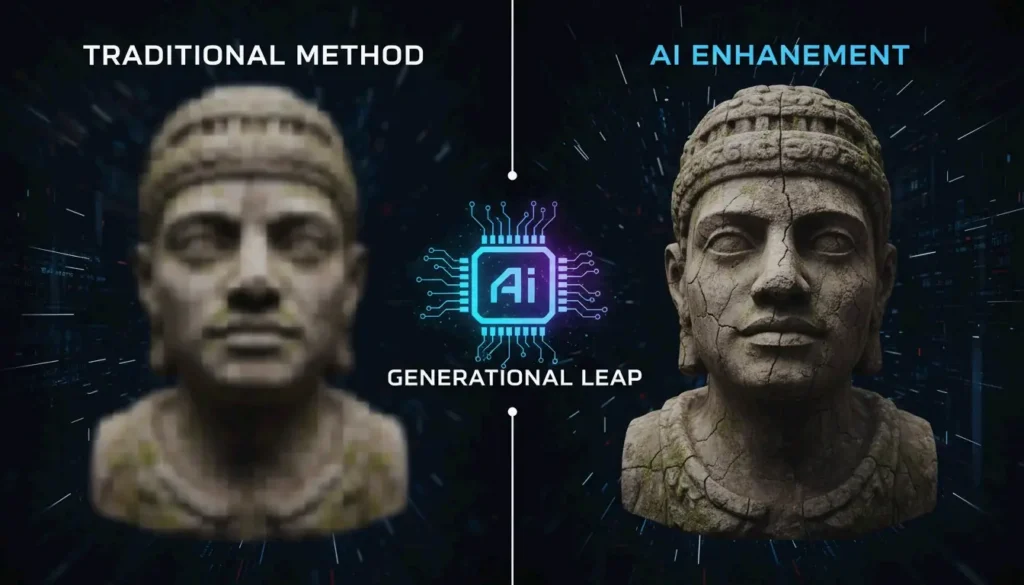
The real difference between AI algorithms and traditional methods is how they fill in the blanks. Traditional logic treats a watermark like a physical blemish to be covered up or a mathematical layer to be reversed. AI, however, sees the watermarked area as a “contextual gap.” It looks at the rest of the image to imagine what should be there, rather than just trying to scrub something off.
According to a TechTrends Report, professionals using AI-native tools save about 4.5 hours every week compared to those still stuck with manual, frame-by-frame cloning.
| Method | How It Works | Best For | Speed |
|---|---|---|---|
| Manual cloning | Copy-paste pixels from nearby area | Simple, flat backgrounds | Slow (manual) |
| Reverse alpha blending | Solve mathematical equation to recover originals | Semi-transparent known watermarks | Fast (automated) |
| Cropping | Cut off the watermark area | Edge-positioned watermarks | Instant |
| AI inpainting | Neural network generates replacement content | Complex backgrounds, textures | Fast (GPU-assisted) |
Traditional Logic: Solving the Alpha Compositing Equation
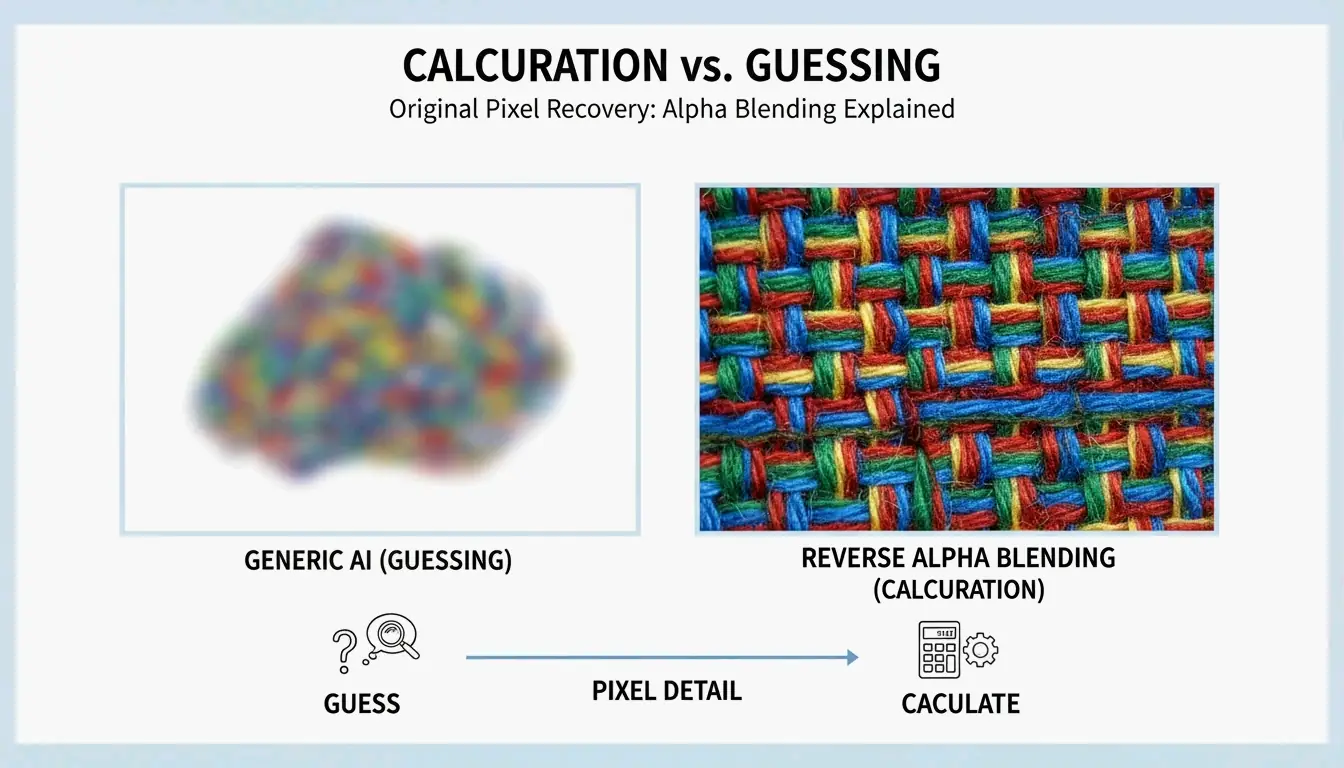
Traditional tools often rely on Reverse Alpha Blending to bring back the original pixels. Think of it as a math problem. The software assumes the image follows a specific formula: Watermarked = alpha * Logo + (1 - alpha) * Original. If the tool can figure out the transparency (alpha) and the colors of the logo, it can calculate what the “Original” pixels were.
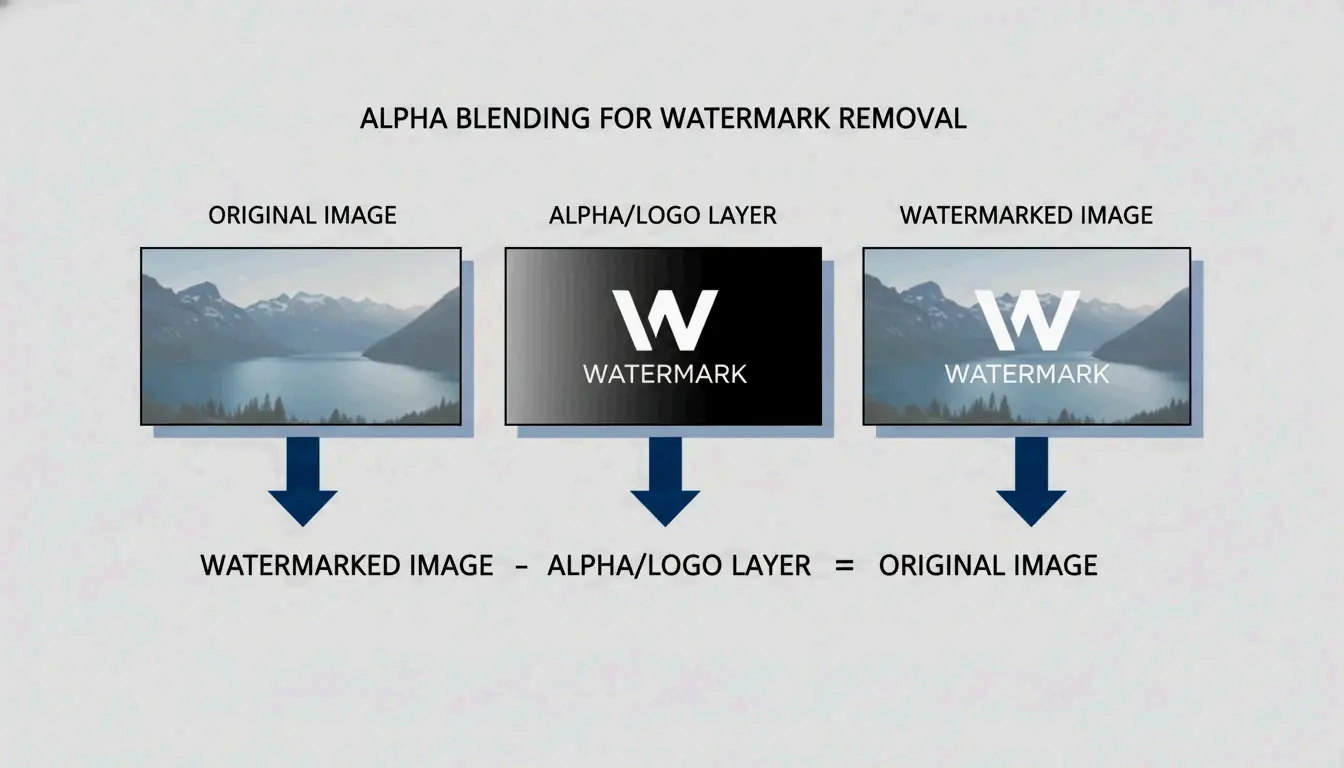
As seen in the Gemini Watermark Remover project, this works well for semi-transparent logos where the properties are known. But if the math is even slightly off, you are left with a “ghost” image or a blurry patch. Other old-school tactics include “Cloning” — literally stamp-copying pixels from one spot to another — or simply “Cropping” the edges of the photo to cut the watermark out entirely.
AI Logic: Contextual Awareness via Deep Learning
AI-driven removal uses AI Inpainting to build entirely new pixels. Instead of just moving existing data around, AI models study patterns, lighting, and textures to “hallucinate” a realistic background. Tools like Pixelbin use these deep learning models to detect and remove marks automatically, so you do not have to do it by hand.
By 2026, this technology has moved to edge computing and high-speed cloud connections. This allows complex neural networks to clean up high-resolution media almost instantly. Unlike a simple blur, AI inpainting keeps the original grain and detail of the shot, making the fix nearly impossible to spot.
The Technical Deep-Dive: Generative Adversarial Networks (GANs) and Diffusion Models
In 2026, the tech battle between watermark creators and removers is fought using two main types of AI architecture: GANs and Diffusion Models.
GANs and Discriminator Architectures
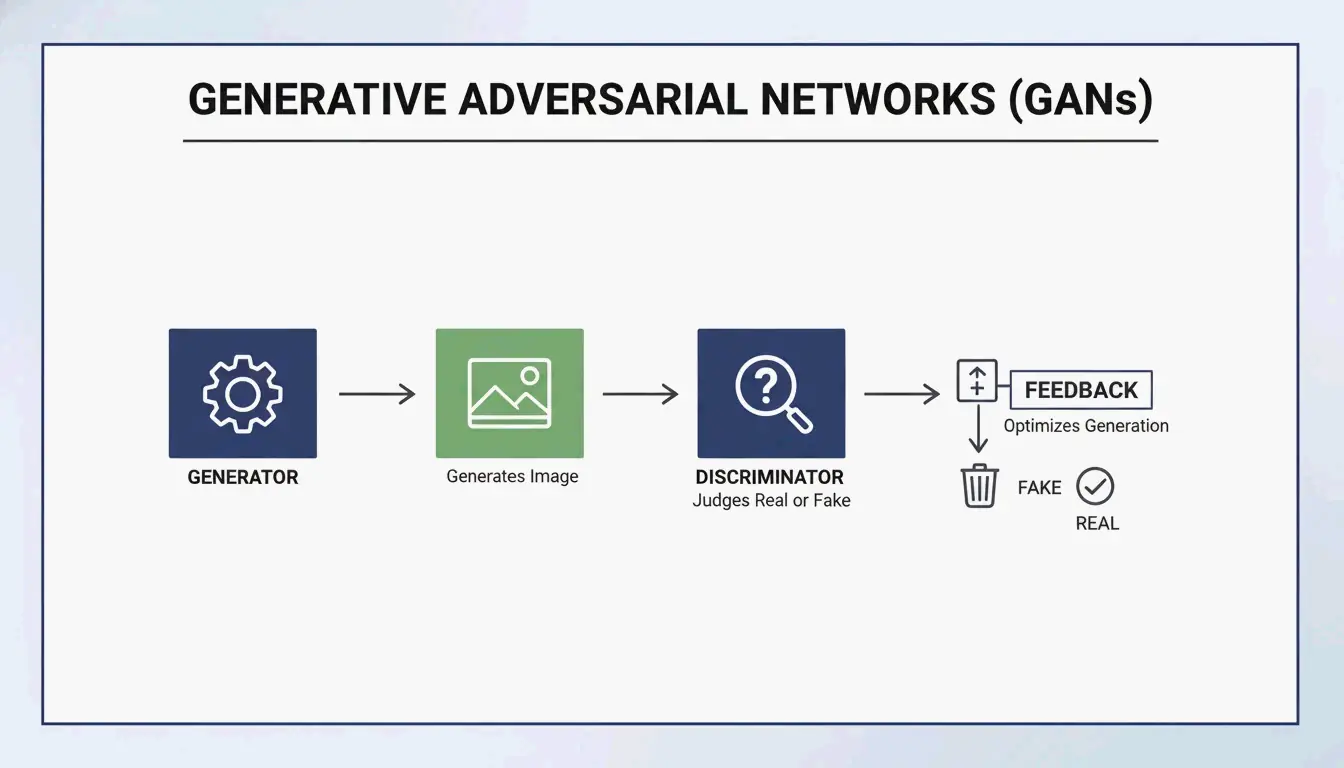
Generative Adversarial Networks (GANs) work like a competition between two AI models. One (the encoder) tries to rebuild the missing background, while the other (the discriminator) tries to catch the mistake by comparing it to a real image. This “argument” between the two forces the AI to create incredibly realistic textures. As Side-Line points out, GANs are a staple in modern “encoder-decoder” setups, helping to hide or remove identifiers with minimal impact on how the image looks.
Diffusion Models: The 2026 Gold Standard
Diffusion Models are now the go-to for high-quality reconstruction. They work by “denoising” an image. Since a watermark is essentially a structured pattern that does not belong in a “natural” image, the model treats the watermark as noise and cleans it away.
Research from NeurIPS Researchers shows that even invisible watermarks can be removed using these models without ruining the image quality. To check the results, experts look at PSNR and SSIM metrics. A top-tier AI restoration, like those using the ROBIN Framework, can hit an SSIM score of 0.98. At that level, the output is basically identical to the original, non-watermarked file.
| AI Architecture | Strength | Quality Metric | Limitation |
|---|---|---|---|
| GANs | Fast, realistic textures | Good PSNR | Can create artifacts in complex scenes |
| Diffusion Models | Highest fidelity | SSIM up to 0.98 | Slower processing |
| Hybrid (GAN + Diffusion) | Balanced speed and quality | PSNR + SSIM | Requires more compute |
Is Removal Truly Lossless? Understanding Reverse Alpha Blending
Marketing teams love the word “lossless,” but the reality is more nuanced.
Reverse Alpha Blending is mathematically lossless, but only if you have the exact mask and alpha values. Older methods using Discrete Cosine Transform (DCT) often struggle when an image is compressed. Because DCT marks follow fixed math rules, they are easy targets for removal attacks that know exactly how those rules work.
AI “hallucination” is not technically lossless because it is creating new pixels rather than finding the old ones. However, in the 2026 landscape — where 85% of pro video suites use generative fill according to the Global Digital Media Institute — the results are considered “perceptually lossless.” Thanks to 6G speeds, we can now process 8K media without the messy compression artifacts that used to ruin these edits.
The 2026 Arms Race: C2PA Standard and Watermark Forgery
As removal tools get better, the industry is fighting back with new standards, though new risks like WMCopier have also appeared.
- WMCopier and Forgery: Research from Zhejiang University (2025) highlighted WMCopier, a tool that can “strip” a watermark from one image and “paste” it onto another. This makes it easy to forge ownership, making illicit content look like it came from a legitimate source.
- C2PA Standard: To stop this, the C2PA Standard was created. It pairs watermarks with cryptographically signed metadata. Even if an AI removes the visual logo, a hardware-level signature stays in the file’s data to prove where it came from.
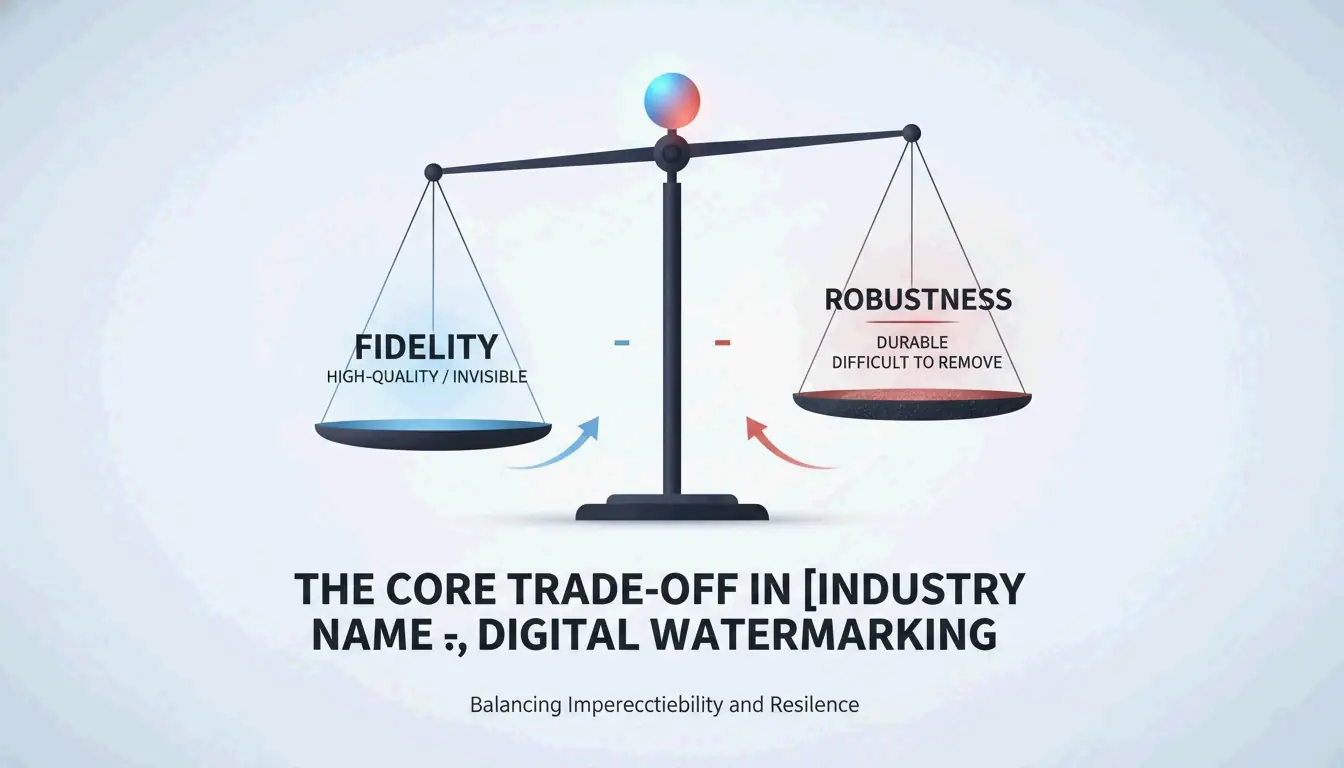
- Fidelity-Robustness Trade-off: This is the big challenge. If you make a watermark too strong (robustness), it starts to look ugly (low fidelity). Modern defenses like Adversarial Robustness Testing (ROBIN) now train watermarks specifically to survive the “regeneration attacks” used by diffusion models.
Conclusion
Watermark removal has come a long way from basic pixel-copying to advanced neural reconstruction. While math-based methods like Reverse Alpha Blending still have a place for simple overlays, AI Generative Inpainting is the only real choice for the complex, high-res media of 2026. We are now in an era of the “Fidelity-Robustness Trade-off,” where the goal is to make markers invisible to people but obvious to forensic software. For pros, tools like Pixelbin are essential for speed, but it is always wise to check outputs against C2PA standards to stay ethical and prove your content is the real deal.
FAQ
Does removing a watermark with AI affect the final image resolution?
Modern AI algorithms in 2026 maintain the native resolution of the image. By using super-resolution upscaling and contextual inpainting, tools like Pixelbin fill the watermark gap without changing the pixel dimensions. Unlike traditional cropping, which reduces the frame size, AI reconstruction ensures the final output remains high-definition or 8K.
Can AI remove invisible forensic watermarks like SynthID?
While AI can easily remove visible layers, forensic markers like Google’s SynthID are embedded deep within the pixel distribution. Diffusion-based “regeneration attacks” can attenuate these signals, but they are often difficult to strip entirely without degrading image quality. Furthermore, C2PA-compliant metadata provides a secondary layer of protection that persists even if the visual pixels are altered.
What is the fidelity-robustness trade-off in digital watermarking?
The fidelity-robustness trade-off is the balance between making a watermark invisible to the human eye (fidelity) and making it difficult to remove (robustness). AI has disrupted this balance; traditional frequency-domain marks are now easily detected and removed by neural networks, forcing developers to use adversarial training to hide watermarks in regions that AI models are less likely to modify.
About the Author
Indie Hacker & DeveloperI'm an indie hacker building iOS and web applications, with a focus on creating practical SaaS products. I specialize in AI SEO, constantly exploring how intelligent technologies can drive sustainable growth and efficiency.
Last reviewed May 16, 2026. This article is reviewed for accuracy and updated when tooling or platform behavior changes.