Master Class: How to AI Prompt with Image Generate Techniques for Midjourney, DALL-E, and Flux
Table of Contents
As of May 2026, this master class on how to AI prompt with image generate techniques for Midjourney, DALL-E, and Flux reveals that success lies in model-specific logic: use descriptive natural language for Flux Pro 1.1 and GPT-Image-1, while applying structured parameters and Style References for Midjourney v8.1. Leverage image-to-prompt reverse engineering and cinematic directives for professional-grade results.
The 2026 Prompting Logic Matrix: Midjourney v8.1 vs. GPT-Image-1 vs. Flux
Generative AI has moved past keyword stuffing. In 2026, professional creators use “intent-based” prompting, where the syntax matches the specific model architecture. According to NovaKit, API pricing has dropped 25-40x since 2024, making high-volume testing affordable and allowing creators to iterate until they achieve perfection.
Model Comparison at a Glance
| Feature | Midjourney v8.1 | GPT-Image-1 | Flux Pro 1.1 Ultra |
|---|---|---|---|
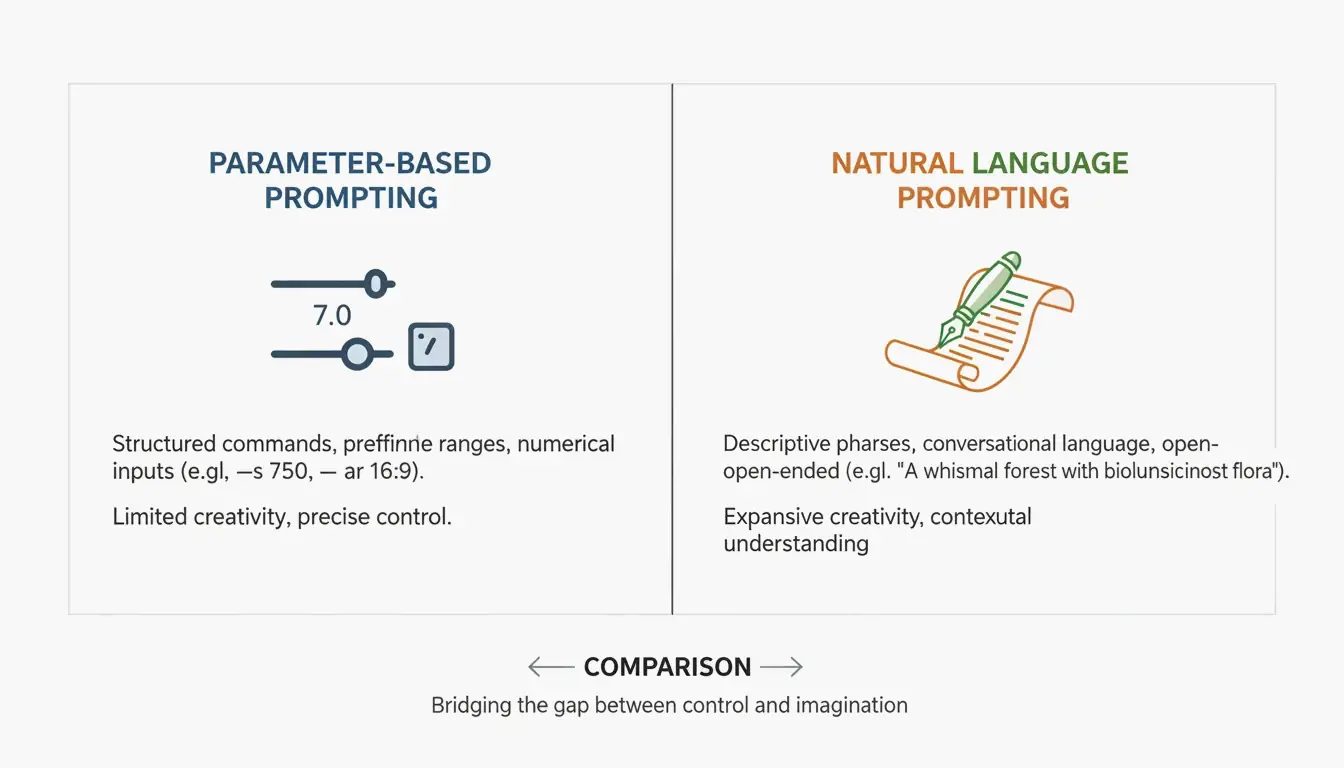
| Prompting Style | Structured parameters | Natural language | Natural language + ControlNet |
| Best For | Aesthetics, artistic control | Text-in-image, UI mockups | Precision layouts, poses |
| Key Commands | –ar, –sref, –cref | Descriptive paragraphs | ControlNet, depth maps |
| Text Rendering | Good (improving) | Best in class | Excellent with descriptive prompts |
| Cost per HD Render | ~$0.10 | ~$0.17 | ~$0.08-0.12 |
Midjourney v8.1 remains the go-to for structural control. Commands like --ar (aspect ratio) and --sref (Style Reference) are essential. GPT-Image-1 and Flux Pro 1.1 Ultra work like a “Director’s Script,” following long natural descriptions and excelling at complex spatial arrangements.
As David Holz, founder of Midjourney, explains, artists use these tools to “rapid prototype” concepts for clients before diving into manual work. The goal in 2026 is to treat prompting as a precise engineering discipline.
Framework: The Three-Layer Prompting Structure
For consistent results across models, use this modular framework:
| Layer | Purpose | Example |
|---|---|---|
| Subject | Be specific about the main element | “a weathered copper kettle” (not “a pot”) |
| Environment | Define lighting, background, and mood | “harsh midday sun in a high-desert landscape” |
| Technicals | Model-specific parameters | Midjourney: –stylize 750; Flux: “shot on 35mm f/1.8” |
How to Master Midjourney v8.1: Style References and Aesthetic Control
Midjourney v8.1, released in April 2026, is the preferred tool for aesthetics-focused work. The key to brand consistency is the --sref (Style Reference) tag. By adding a URL to an existing image after this tag, you force the AI to match the colors, textures, and overall aesthetic of that reference.
By 2026, the --personalize code has become a standard part of the workflow, helping the model learn your personal style over time. For photorealism, skip vague terms like “ultra-realistic” and use lens-specific prompts instead:
| Desired Effect | Midjourney Prompt Directive |
|---|---|
| Blurry background (bokeh) | “shot on 35mm f/1.8” |
| Wide architectural shots | “shot on 14mm wide-angle” |
| Flattened perspective | “shot on 85mm telephoto” |
| Sharp landscape detail | “shot on 24mm f/8” |
Why Flux Pro 1.1 Ultra Is the New Standard for Precision and ControlNet
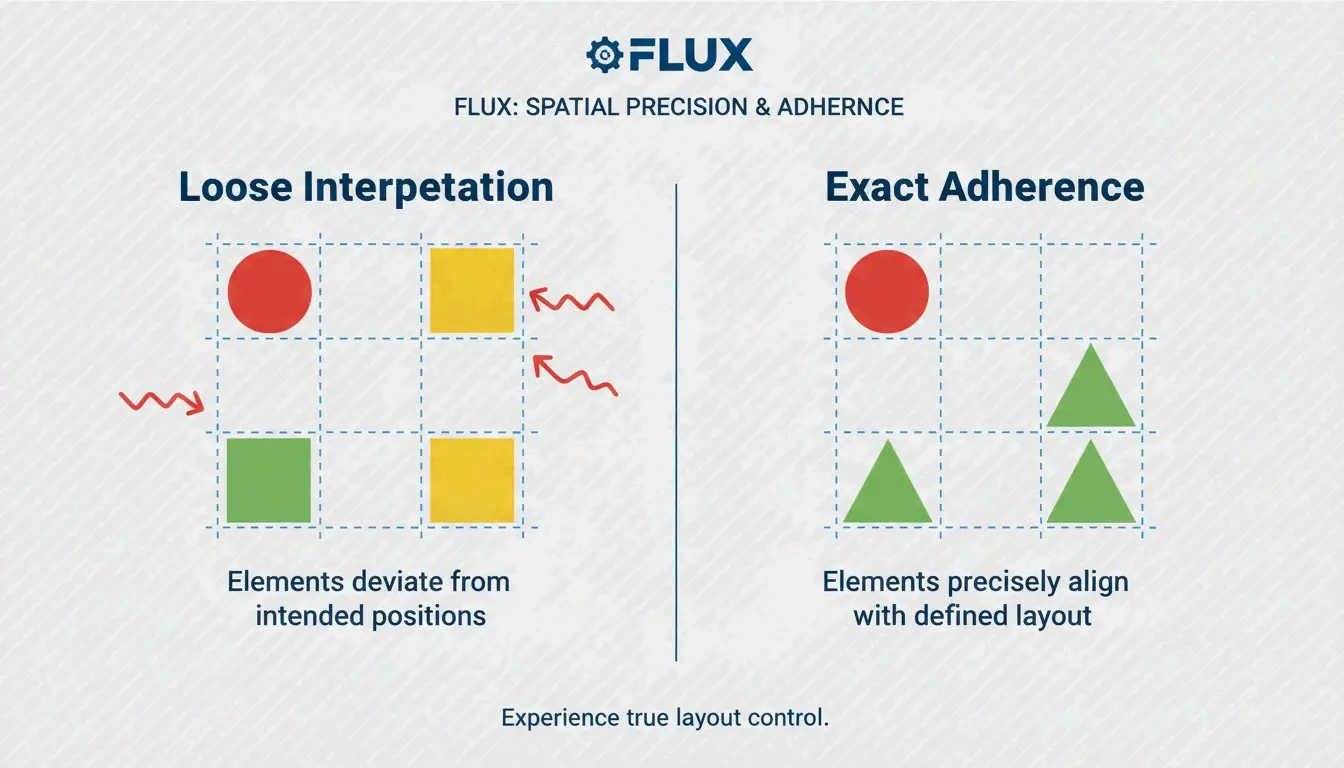
Flux Pro 1.1 Ultra has become the developer favorite because of its tight integration with ControlNet tools. While Midjourney interprets your instructions, Flux adheres to them. ControlNet lets you lock in exact poses, depth maps, and layouts, ensuring your subject stays precisely where you place it in the frame.
Flux also outperforms GPT-Image-1 in professional editing tasks like inpainting (fixing parts of an image) and outpainting (expanding an image). Data from NovaKit shows that Flux Pro 1.1 Ultra has the highest Prompt Adherence score in the industry for complex scenes.
Commercial Photography: Integrating Imagen 4 for Product Renders
For clean commercial product shots, Google’s Imagen 4 is often the best choice. It excels at high-end lighting and avoids AI artifacts on shiny surfaces. NovaKit reports that Imagen 4 delivers the cleanest product images at approximately $0.03 to $0.12 each, making it cost-effective for e-commerce catalogs.
Can You Reverse Engineer Art? Mastering Image-to-Prompt Techniques
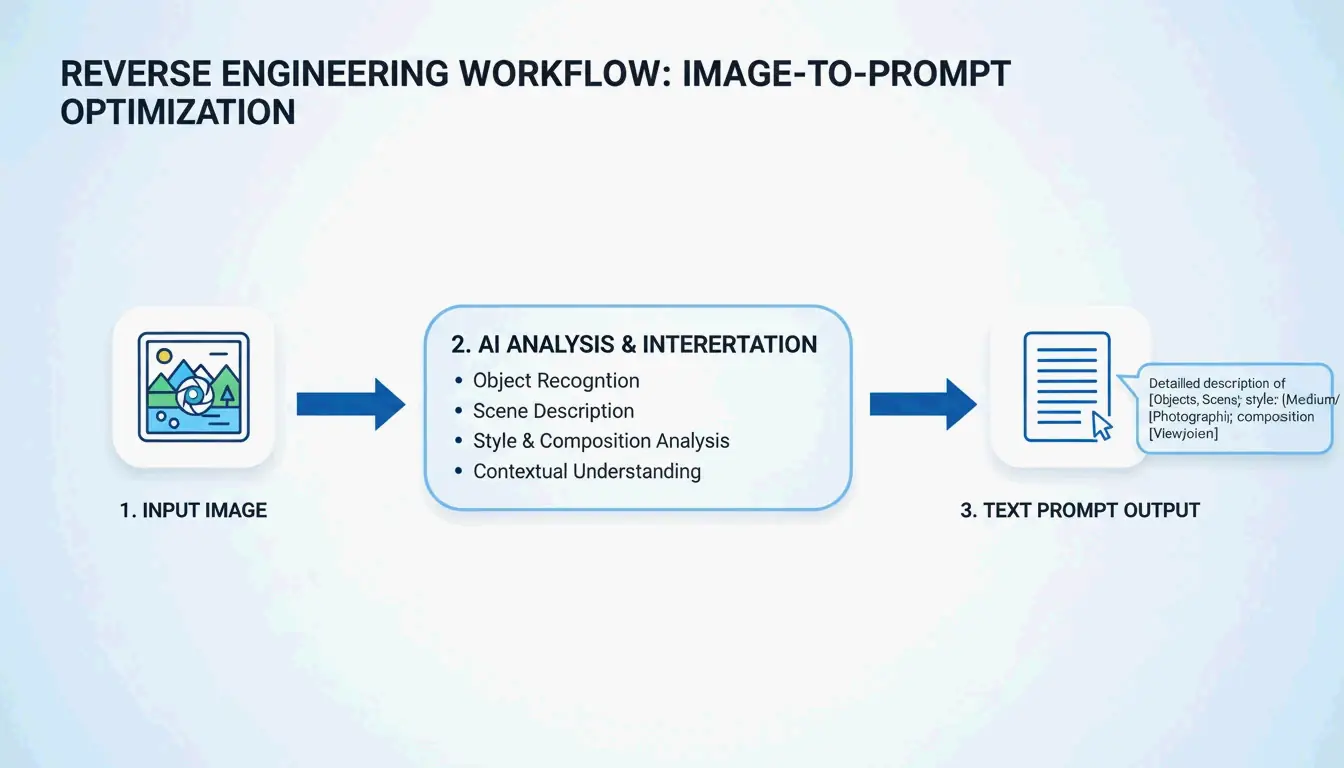
In 2026, you do not always have to start with a blank text box. Tools like PixelPanda let you upload a photo, painting, or screenshot and receive four optimized prompts back (General, Flux, Midjourney, and Stable Diffusion).
This image-to-prompt method enables cross-model workflows. For example, take a render from Midjourney, reverse-engineer the prompt using PixelPanda, then use that description in Flux Pro 1.1 for more structural control. You can also visit PromptBase to study the DNA of successful prompts.
Professional Automation: Scaling Image Generation with MCP Servers and APIs
For large projects, manual prompting is being replaced by automated workflows using the Model Context Protocol (MCP). By setting up an MCP server, developers can let AI agents like Claude or GPT-4 handle image generation autonomously. According to SamurAIGPT, this creates a Prompt-Generate-Review loop where the AI manages the entire creative process.
| Automation Level | Tool | Cost per Image | Best For |
|---|---|---|---|
| Individual | Manual prompting | $0.08-0.17 | Single assets, exploration |
| Team | MCP server + agent | $0.05-0.12 (bulk) | Campaign variations |
| Enterprise | muapi CLI + API | $0.02-0.05 (volume) | Hundreds of marketing assets |
NovaKit notes that a GPT-Image-1 HD render now costs around $0.17. Using bulk generation through the muapi CLI, teams can create hundreds of marketing variations for a fraction of traditional stock photo or design costs.
Conclusion
Prompting in 2026 is a precise skill, not a guessing game. The key to professional results is understanding the architectural differences between models and applying the right technique to each.
Action Plan:
- Define your goal: Use Midjourney v8.1 for artistic projects and “beautiful by default” images.
- Prioritize precision: Use Flux Pro 1.1 Ultra when you need total control over poses and layout.
- Target text rendering: Use GPT-Image-1 for graphics that need readable text or UI mockups.
- Scale with automation: Explore MCP servers and the muapi CLI to automate workflows and reduce costs.
FAQ
How do I achieve consistent character rendering across multiple images in 2026?
Use Midjourney v8.1’s --cref (Character Reference) tag followed by the URL of your base character image. In Flux, the professional standard is using LoRA (Low-Rank Adaptation) weights trained specifically on your character. Additionally, maintaining consistent seed numbers and detailed physical descriptors helps prevent the AI from drifting between generations.
Which AI model currently offers the best integrated text rendering for UI mockups?
As of May 2026, GPT-Image-1 is the industry leader for precise text-in-image rendering, handling signs, labels, and UI elements. Flux Pro 1.1 Ultra is a close second, offering excellent font control through descriptive prompts. Midjourney v8.1 has significantly improved its text capabilities but still prioritizes artistic quality and may occasionally struggle with literal character accuracy in complex strings.
Is it possible to generate AI images without using Discord for Midjourney v8.1?
Yes. By May 2026, the Midjourney Web Alpha is fully public, allowing all users to generate and edit images directly through a browser interface. Professional users can also leverage the official Midjourney API or third-party wrappers like muapi to integrate Midjourney generation into Discord-free, agentic workflows and custom applications.
About the Author
Indie Hacker & DeveloperI'm an indie hacker building iOS and web applications, with a focus on creating practical SaaS products. I specialize in AI SEO, constantly exploring how intelligent technologies can drive sustainable growth and efficiency.
Last reviewed May 16, 2026. This article is reviewed for accuracy and updated when tooling or platform behavior changes.