Clase magistral: cómo dominar los prompts de IA con técnicas de generación de imágenes para Midjourney, DALL-E y Flux
Tabla de contenidos
A fecha de mayo de 2026, esta clase magistral sobre cómo dominar los prompts de IA con técnicas de generación de imágenes para Midjourney, DALL-E y Flux revela que el éxito reside en una lógica específica por modelo: usa lenguaje natural descriptivo para Flux Pro 1.1 y GPT-Image-1, mientras aplicas parámetros estructurados y Style References (referencias de estilo) para Midjourney v8.1. Aprovecha la ingeniería inversa image-to-prompt (imagen a prompt) y las directrices cinematográficas para obtener resultados de nivel profesional.
La matriz de lógica de prompts de 2026: Midjourney v8.1 vs. GPT-Image-1 vs. Flux
La IA generativa ha superado la época de atiborrar de palabras clave. En 2026, los creadores profesionales usan prompts “basados en la intención (intent-based)”, donde la sintaxis se adapta a la arquitectura específica de cada modelo. Según NovaKit, los precios de las API han caído entre 25 y 40 veces desde 2024, lo que hace asequible realizar pruebas masivas y permite a los creadores iterar hasta alcanzar la perfección.
Comparación de modelos de un vistazo
| Característica | Midjourney v8.1 | GPT-Image-1 | Flux Pro 1.1 Ultra |
|---|---|---|---|
| Estilo de prompt | Parámetros estructurados | Lenguaje natural | Lenguaje natural + ControlNet |
| Ideal para | Estética, control artístico | Texto en imagen, mockups de UI | Composiciones precisas, poses |
| Comandos clave | –ar, –sref, –cref | Párrafos descriptivos | ControlNet, mapas de profundidad |
| Renderizado de texto | Bueno (en mejora) | El mejor de su clase | Excelente con prompts descriptivos |
| Coste por render HD | ~$0.10 | ~$0.17 | ~$0.08-0.12 |
Midjourney v8.1 sigue siendo la opción preferida para el control estructural. Comandos como --ar (relación de aspecto) y --sref (referencia de estilo) son imprescindibles. GPT-Image-1 y Flux Pro 1.1 Ultra funcionan como un “guion de director (Director’s Script)”, siguiendo descripciones naturales extensas y destacando en composiciones espaciales complejas.
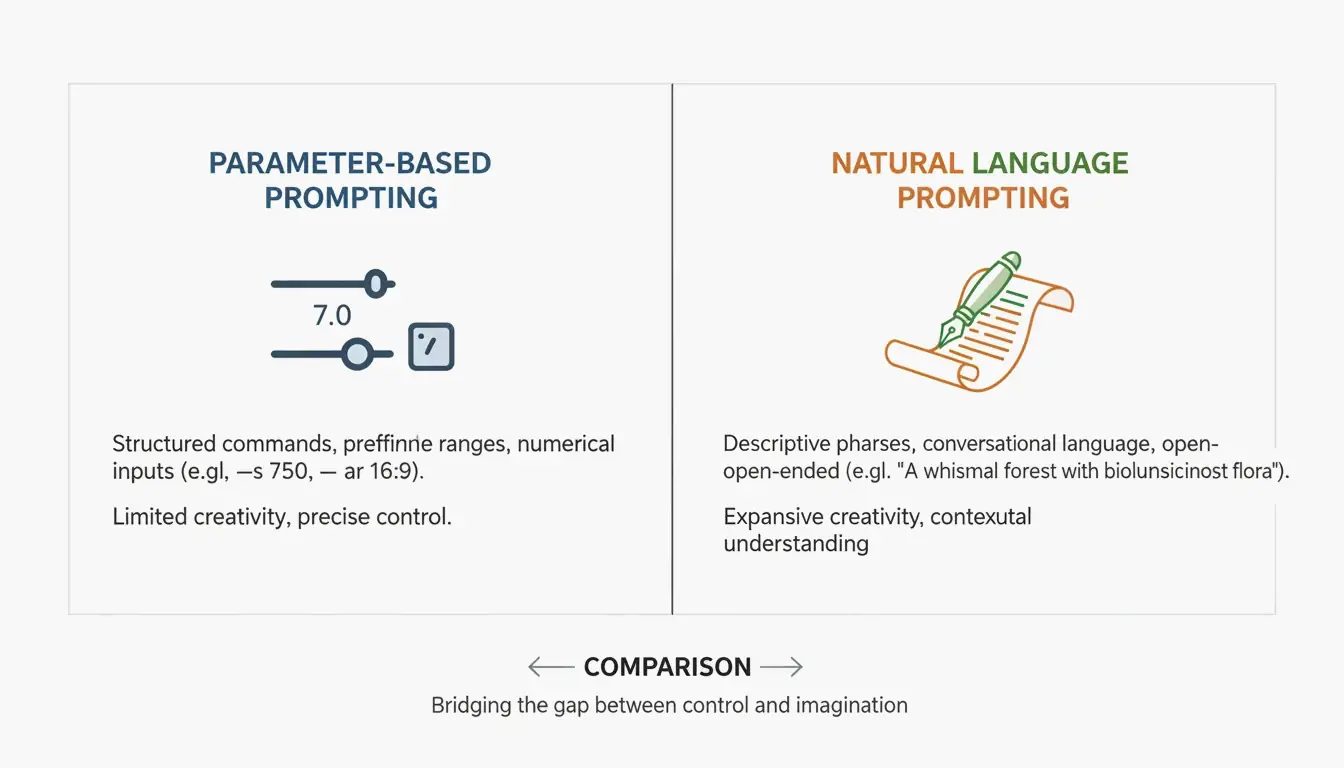
Como explica David Holz, fundador de Midjourney, los artistas usan estas herramientas para “prototipar rápidamente (rapid prototype)” conceptos para sus clientes antes de sumergirse en el trabajo manual. El objetivo en 2026 es tratar los prompts como una disciplina de ingeniería precisa.
Marco de trabajo: la estructura de prompts en tres capas
Para obtener resultados consistentes entre modelos, usa este marco modular:
| Capa | Propósito | Ejemplo |
|---|---|---|
| Sujeto | Sé específico con el elemento principal | “a weathered copper kettle” (una tetera de cobre envejecida; no “a pot”) |
| Entorno | Define la iluminación, el fondo y el ambiente | “harsh midday sun in a high-desert landscape” (sol duro del mediodía en un paisaje desértico de altura) |
| Técnicos | Parámetros específicos del modelo | Midjourney: –stylize 750; Flux: “shot on 35mm f/1.8” |
Cómo dominar Midjourney v8.1: Style References y control estético
Midjourney v8.1, lanzada en abril de 2026, es la herramienta preferida para los trabajos centrados en la estética. La clave de la consistencia de marca reside en la etiqueta --sref (referencia de estilo). Al añadir la URL de una imagen existente tras esta etiqueta, fuerzas a la IA a replicar los colores, texturas y la estética general de esa referencia.
Para 2026, el código --personalize se ha convertido en una parte estándar del flujo de trabajo, ayudando al modelo a aprender tu estilo personal con el tiempo. Para lograr fotorrealismo, evita términos vagos como “ultra-realistic” (ultrarrealista) y usa en su lugar prompts específicos de lente:
| Efecto deseado | Directiva de prompt para Midjourney |
|---|---|
| Fondo desenfocado (bokeh) | “shot on 35mm f/1.8” |
| Tomas arquitectónicas amplias | “shot on 14mm wide-angle” |
| Perspectiva aplanada | “shot on 85mm telephoto” |
| Detalle nítido de paisaje | “shot on 24mm f/8” |
Por qué Flux Pro 1.1 Ultra es el nuevo estándar de precisión y ControlNet
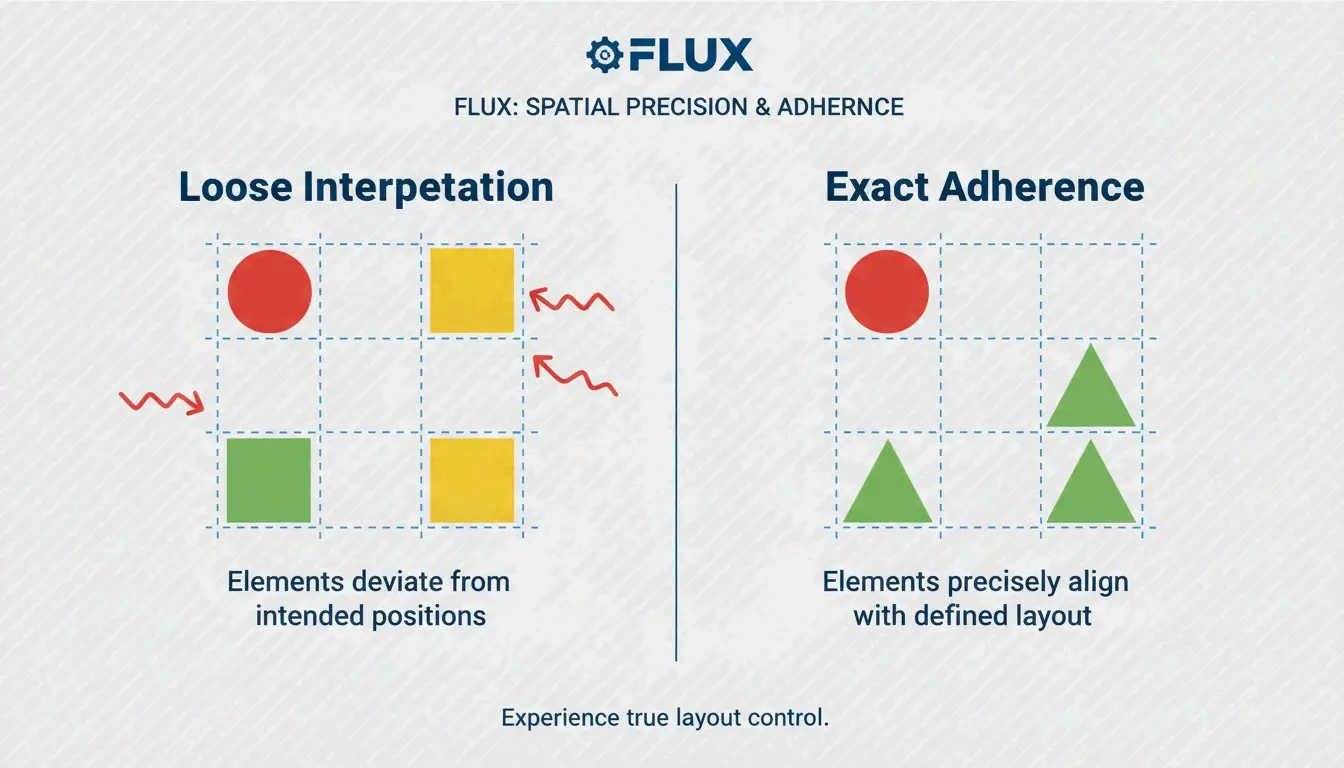
Flux Pro 1.1 Ultra se ha convertido en el favorito de los desarrolladores por su estrecha integración con las herramientas ControlNet. Mientras Midjourney interpreta tus instrucciones, Flux las acata. ControlNet te permite fijar poses exactas, mapas de profundidad y composiciones, asegurando que el sujeto permanezca precisamente donde lo colocas en el encuadre.
Flux también supera a GPT-Image-1 en tareas de edición profesional como el inpainting (reparar partes de una imagen) y el outpainting (expandir una imagen). Los datos de NovaKit muestran que Flux Pro 1.1 Ultra tiene la puntuación de adherencia al prompt (Prompt Adherence) más alta de la industria en escenas complejas.
Fotografía comercial: integrar Imagen 4 para renders de producto
Para tomas comerciales limpias de productos, Imagen 4 de Google suele ser la mejor opción. Destaca en la iluminación de gama alta y evita los artefactos de IA en superficies brillantes. NovaKit informa de que Imagen 4 ofrece las imágenes de producto más limpias a aproximadamente $0.03 a $0.12 cada una, lo que la hace rentable para catálogos de comercio electrónico.
¿Se puede aplicar ingeniería inversa al arte? Dominar las técnicas de Image-to-Prompt
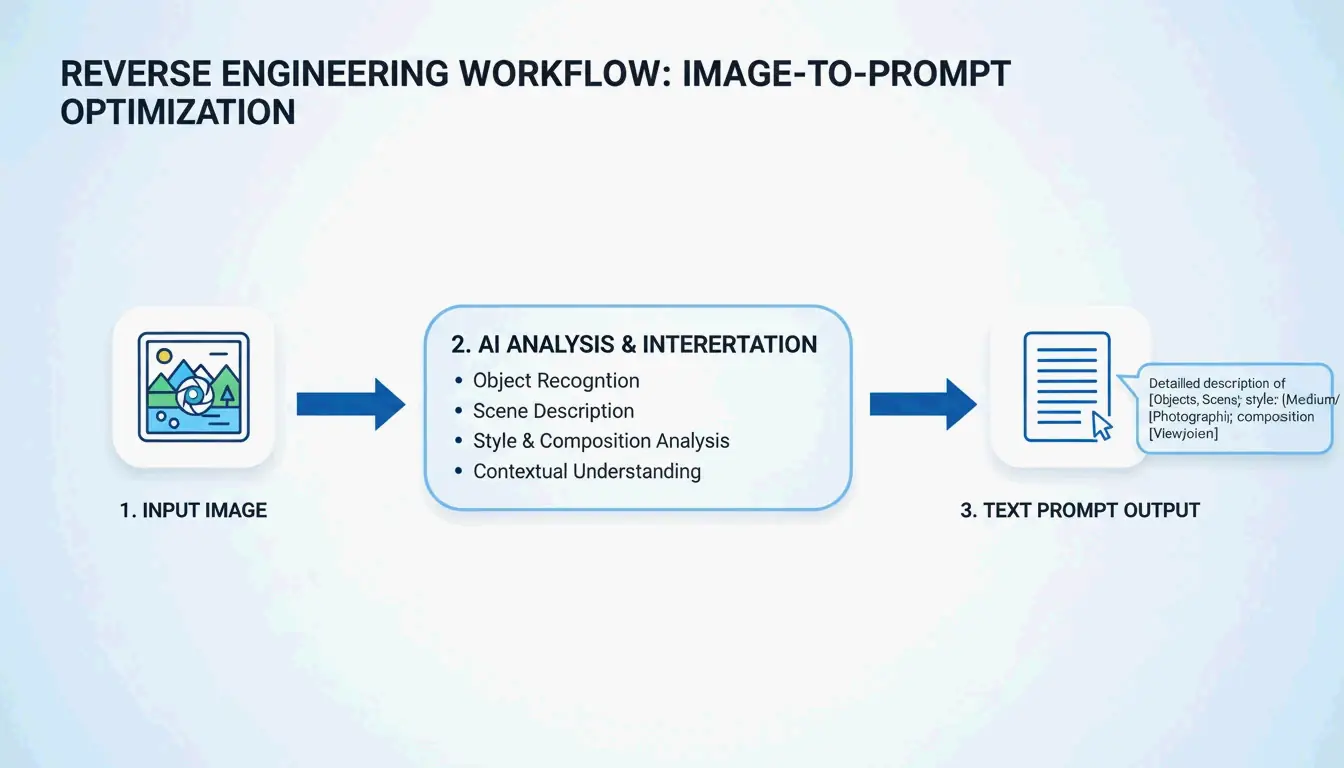
En 2026, no siempre tienes que empezar con un cuadro de texto en blanco. Herramientas como PixelPanda te permiten subir una foto, una pintura o una captura de pantalla y recibir cuatro prompts optimizados (General, Flux, Midjourney y Stable Diffusion).
Este método image-to-prompt (imagen a prompt) habilita flujos de trabajo entre modelos. Por ejemplo, toma un render de Midjourney, aplica ingeniería inversa al prompt con PixelPanda y luego usa esa descripción en Flux Pro 1.1 para mayor control estructural. También puedes visitar PromptBase para estudiar el ADN de los prompts exitosos.
Automatización profesional: escalar la generación de imágenes con servidores MCP y API
Para proyectos grandes, los prompts manuales están siendo reemplazados por flujos de trabajo automatizados que usan el Model Context Protocol (Protocolo de Contexto de Modelo, MCP). Al configurar un servidor MCP, los desarrolladores pueden dejar que agentes de IA como Claude o GPT-4 se encarguen de la generación de imágenes de forma autónoma. Según SamurAIGPT, esto crea un bucle “Prompt-Generate-Review (prompt-generar-revisar)” en el que la IA gestiona todo el proceso creativo.
| Nivel de automatización | Herramienta | Coste por imagen | Ideal para |
|---|---|---|---|
| Individual | Prompts manuales | $0.08-0.17 | Recursos individuales, exploración |
| Equipo | Servidor MCP + agente | $0.05-0.12 (al por mayor) | Variaciones de campaña |
| Empresa | muapi CLI + API | $0.02-0.05 (volumen) | Cientos de recursos de marketing |
NovaKit señala que un render HD de GPT-Image-1 cuesta ahora unos $0.17. Usando la generación masiva a través de la CLI de muapi, los equipos pueden crear cientos de variaciones de marketing por una fracción del coste de las fotos de stock tradicionales o del diseño.
Conclusión
Hacer prompts en 2026 es una habilidad precisa, no un juego de adivinanzas. La clave para obtener resultados profesionales está en comprender las diferencias arquitectónicas entre los modelos y aplicar la técnica adecuada a cada uno.
Plan de acción:
- Define tu objetivo: Usa Midjourney v8.1 para proyectos artísticos e imágenes “preciosas por defecto (beautiful by default)”.
- Prioriza la precisión: Usa Flux Pro 1.1 Ultra cuando necesites control total sobre poses y composición.
- Apunta al renderizado de texto: Usa GPT-Image-1 para gráficos que necesitan texto legible o mockups de UI.
- Escala con automatización: Explora los servidores MCP y la CLI de muapi para automatizar flujos de trabajo y reducir costes.
Preguntas frecuentes
¿Cómo logro un renderizado de personaje consistente en múltiples imágenes en 2026?
Usa la etiqueta --cref (referencia de personaje) de Midjourney v8.1 seguida de la URL de tu imagen base del personaje. En Flux, el estándar profesional es usar pesos LoRA (adaptación de bajo rango, Low-Rank Adaptation) entrenados específicamente con tu personaje. Además, mantener números de semilla (seed) y descriptores físicos detallados y consistentes ayuda a evitar que la IA se desvíe entre generaciones.
¿Qué modelo de IA ofrece actualmente el mejor renderizado de texto integrado para mockups de UI?
A fecha de mayo de 2026, GPT-Image-1 es el líder de la industria en el renderizado preciso de texto en imagen, gestionando carteles, etiquetas y elementos de UI. Flux Pro 1.1 Ultra es un cercano segundo lugar, y ofrece un excelente control tipográfico mediante prompts descriptivos. Midjourney v8.1 ha mejorado notablemente sus capacidades de texto, pero sigue priorizando la calidad artística y, ocasionalmente, puede tener dificultades con la precisión literal de los caracteres en cadenas complejas.
¿Es posible generar imágenes con IA sin usar Discord para Midjourney v8.1?
Sí. Para mayo de 2026, Midjourney Web Alpha es totalmente público, lo que permite a todos los usuarios generar y editar imágenes directamente a través de una interfaz de navegador. Los usuarios profesionales también pueden aprovechar la API oficial de Midjourney o wrappers de terceros como muapi para integrar la generación de Midjourney en flujos de trabajo agénticos sin Discord y en aplicaciones personalizadas.
Sobre el autor
Indie Hacker & DesarrolladorSoy un indie hacker que construye aplicaciónes iOS y web, enfocado en crear productos SaaS practicos. Me especializo en AI SEO, explorando constantemente como las tecnologias inteligentes pueden impulsar el crecimiento sostenible y la eficiencia.
Última revisión 2 de julio de 2026. Este artículo se revisa para garantizar su precisión y se actualiza cuando cambian las herramientas o el comportamiento de la plataforma.
Política editorial
Cómo ImageLean investiga, prueba y actualiza las guías publicadas.
Divulgación de publicidad
Cómo gestionamos la publicidad, los patrocinios y la monetización en el sitio.
Enfoque de privacidad
Por qué nuestras herramientas priorizan la privacidad y cómo funciona el procesamiento basado en el navegador.