Can AI Remove Watermark from Photo? 2026 Guide to the Best Tools and Techniques
Table of Contents
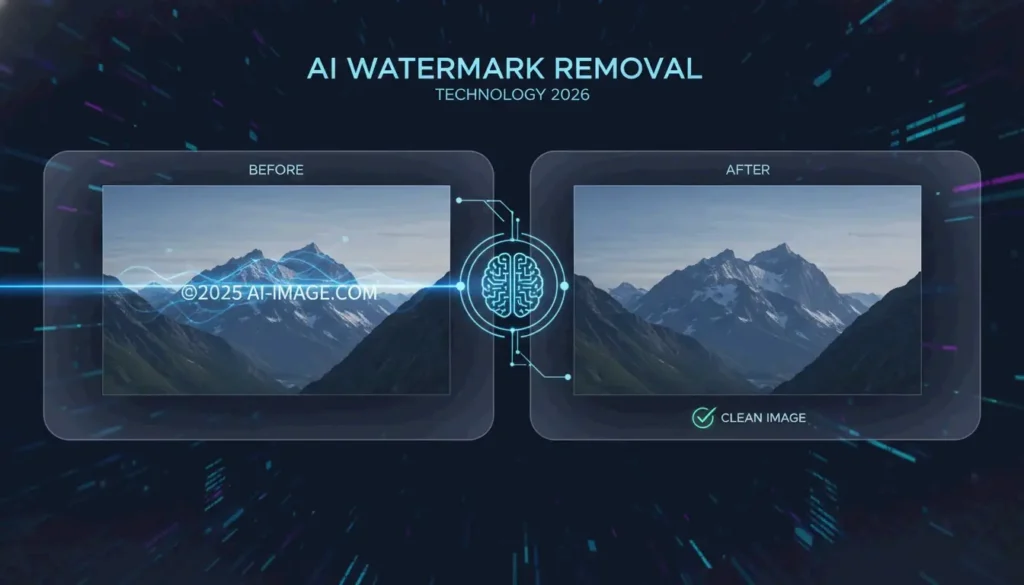
Yes, in 2026, AI can remove watermark from photo files with high accuracy. Using deep learning, tools like Pixelbin and HitPaw employ Generative Inpainting to reconstruct backgrounds or Reverse Alpha Blending to mathematically reverse semi-transparent overlays. These techniques can clean complex AI-generated labels — such as Gemini’s “Nano Banana” — without degrading image quality.
How Does AI Remove Watermark from Photo? The 2026 Technical Breakdown
Watermark removal has moved far beyond manual clone-stamp editing. Modern neural networks analyze image context to intelligently restore covered areas. In 2026, the real challenge is not visibility but how the watermark is embedded. Standard logos are straightforward to erase, but invisible markers like SynthID are woven into the image’s mathematical structure, making them extremely difficult to remove without quality loss.
According to HitPaw, their AI solution maintains a 98% satisfaction rate across more than 6.5 million downloads. These systems rely on two core methods:
Generative Inpainting: Reconstructing Missing Pixels
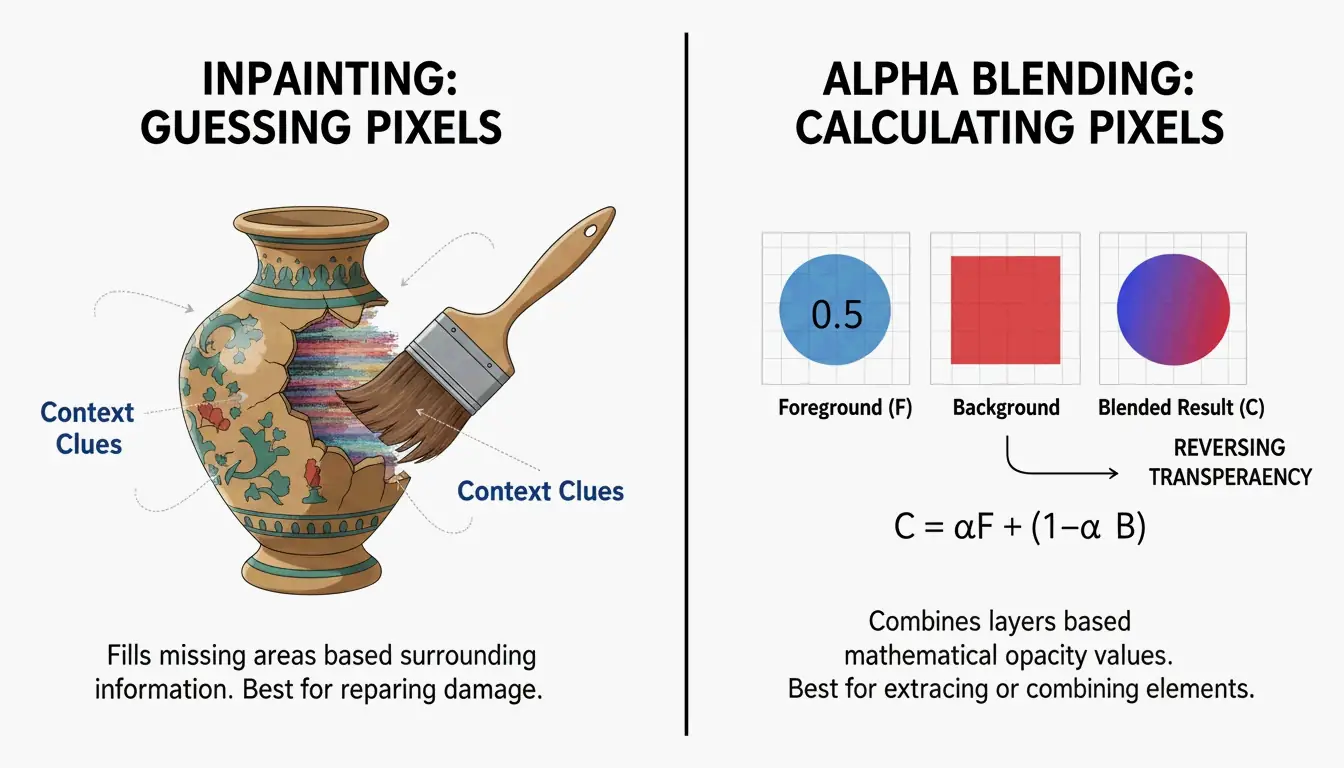
Generative Inpainting works by analyzing the healthy pixels surrounding a watermark — examining textures, lighting, and patterns — to predict what should be behind the logo. Tools like HitPaw use Content-Aware Fill models to plug the gaps automatically, blending new pixels naturally with the surrounding image.
Reverse Alpha Blending: Mathematical Pixel Recovery
Unlike inpainting, Reverse Alpha Blending is a calculation, not a prediction. Most watermarks are applied using the formula: Watermarked = alpha x Logo + (1 - alpha) x Original. If the AI can determine that formula (the alpha map), it reverses the math to recover the original pixels. This is the optimal method for semi-transparent text because it restores actual data rather than painting over it.
Removing AI-Generated Watermarks: Gemini (Nano Banana) and Meta AI
By 2026, a new category of challenge has emerged: watermarks generated by AI systems themselves, such as Meta’s “Imagined with AI” label and Google’s “Nano Banana” pattern. These are engineered to be persistent. Standard removal tools often leave behind visible artifacts.
Research by Allen Kuo produced specialized 48×48 and 96×96 Reverse-Alpha Masks designed for Gemini watermarks. By targeting the exact blending mathematics Google uses, these scripts achieve pixel-perfect cleanup that general-purpose erasers cannot match.
The “AI vs. AI” Workflow for Synthetic Media
For professional results on AI-generated images, experts deploy a two-pass workflow. After the initial watermark is removed, a second pass using models like FDnCNN (Fast Deep Convolutional Neural Network) cleans up residual edge artifacts. As Allen Kuo notes, removing SynthID without quality loss is nearly impossible because it is entangled with the entire image. However, for visible labels, GPU-accelerated denoisers effectively eliminate the “sparkle” or blurry edges that basic tools leave behind.
Best AI Watermark Removers in 2026: Ranked by Performance
The market splits between accessible web tools and powerful developer scripts. A 2026 test of 15 services by GStory AI found that performance depends heavily on background complexity and watermark opacity.
Top Free Picks for Quick Web Edits
| Tool | Key Strength | Format Support | Free Tier |
|---|---|---|---|
| GStory AI | Complex area reconstruction | JPG, PNG, WEBP | 50 free credits |
| DeWatermark.ai | Multiple watermark handling | JPG, PNG | Auto 3.0 mode |
| Phototune AI | No-signup simplicity | JPG, PNG (up to 10MB) | Free |
| Pixelbin | Modern format support | WEBP, HEIC | Auto Mode |
Pro Tools for Batch Processing and High-Resolution Assets
For bulk work, Batch Processing is essential. PhotoGrid allows processing up to 20 photos simultaneously at no charge. For developers, GitHub tools like the Gemini Watermark Tool can integrate into Claude Code Skills or MCP Servers, enabling AI agents to handle removal automatically within local workflows using FDnCNN for high-resolution output.
Step-by-Step: How to Use AI to Remove Watermarks Without Quality Loss
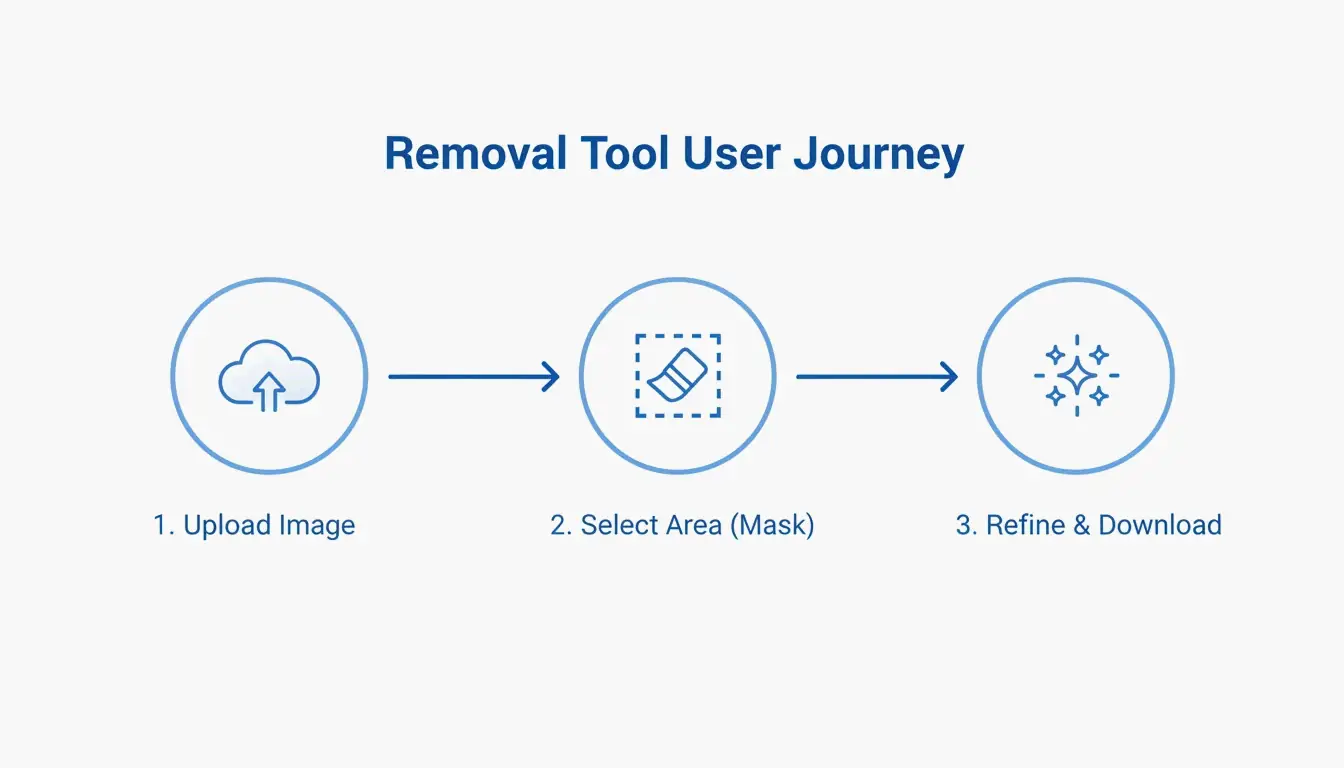
Most AI tools simplify the process into three stages:
- Upload: Select your file (JPG, PNG, or WEBP). Tools like Pixelbin accept files up to 10MB.
- Mask Selection: Let “Auto Mode” detect the logo, or use a manual brush to highlight the area.
- Refinement: After removal, use a “Magic Brush” or Content-Aware Fill to clean up any spots the AI missed.
Troubleshooting: What to Do When AI Leaves a Blur
If a blurry patch remains, the background was likely too complex for the AI to predict accurately. Run a second pass with a denoiser like FDnCNN to smooth out the noise. For final polish, a quick touch-up with a Clone Stamp tool in an editor like Photopea provides professional-grade results.
Conclusion
Watermark removal in 2026 has evolved from simple blurring to mathematical precision via Reverse Alpha Blending. Whether handling a standard copyright logo or a stubborn Gemini “Nano Banana” label, current tools are up to the task. For quick fixes, web tools like GStory or Pixelbin are the most accessible options. For photographers and professionals who demand pixel-perfect output, GitHub-based tools and MCP server integrations offer maximum control without the “hallucinations” typical of basic AI erasers.
FAQ
Is it legal to remove watermarks from images for personal use?
Generally, removing a watermark is illegal if it infringes on copyright, as protected under DMCA Section 1202. Exceptions may exist for recovering your own lost assets or for uses that fall under specific fair use provisions. Always verify the original creator’s license before modifying an image.
Can AI remove invisible watermarks like Google’s SynthID?
No. While AI can erase the visible pixels of a logo, SynthID is embedded into the image’s structural features. Removing it typically requires degrading the image quality to an unusable state. According to research by Allen Kuo, SynthID remains detectable by specialized safety tools even after visible editing or cropping.
How to remove watermarks from photos on iPhone or Android without an app?
Use mobile-optimized web tools like DeWatermark.ai or GStory directly in your mobile browser. Modern mobile browsers support Generative Inpainting APIs for one-click removal. This approach avoids the security risks of downloading “free” apps that may contain malware or excessive advertising.
About the Author
Indie Hacker & DeveloperI'm an indie hacker building iOS and web applications, with a focus on creating practical SaaS products. I specialize in AI SEO, constantly exploring how intelligent technologies can drive sustainable growth and efficiency.
Last reviewed May 16, 2026. This article is reviewed for accuracy and updated when tooling or platform behavior changes.