Gemini Nano Banana 2 Bild-Wasserzeichen entfernen: Beste Werkzeuge und Techniken 2026
Inhaltsverzeichnis
Um einen Gemini Nano Banana 2 Bild-Wasserzeichen-Entferner (beste Werkzeuge und Techniken für 2026) zu nutzen, suchen Sie nach Software, die auf Reverse Alpha Blending (umgekehrtes Alpha-Blending) spezialisiert ist, beispielsweise GeminiWatermarkTool (offline) oder GeminiWatermarkRemover.io. Diese Werkzeuge bieten eine pixelgenaue Wiederherstellung des sichtbaren 4-zackigen Sterns, jedoch bleiben die unsichtbaren SynthID– und C2PA-Metadaten typischerweise für das AI-Tracking eingebettet.
Der 2026-Standard: So entfernen Sie Gemini Nano Banana 2 Wasserzeichen
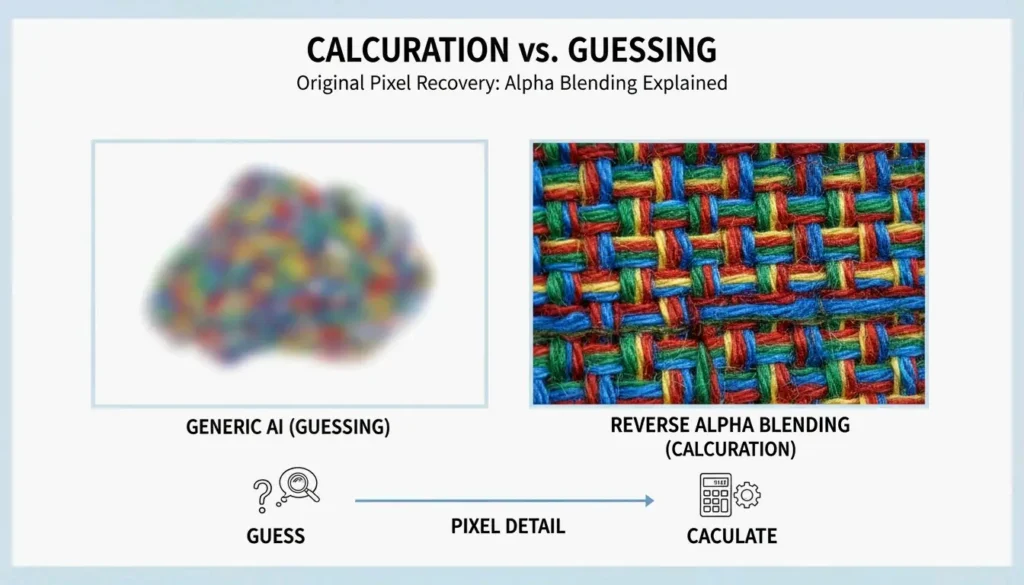
Bis 2026 ist der „Nano Banana”-4-zackige Stern zum universellen Symbol für von Googles Gemini erzeugte Inhalte geworden. Es handelt sich nicht um einfache „Stempel”, die über ein Bild gelegt werden, sondern sie werden über einen Prozess namens Alpha Compositing (Alpha-Compositing) in das Bild integriert. Wenn Sie einen gewöhnlichen AI-„Radierer” verwenden, erhalten Sie oft verschwommene Schlieren. Für ein sauberes Ergebnis benötigen Sie einen Workflow, der die Mathematik hinter der ursprünglichen Mischung umkehrt.
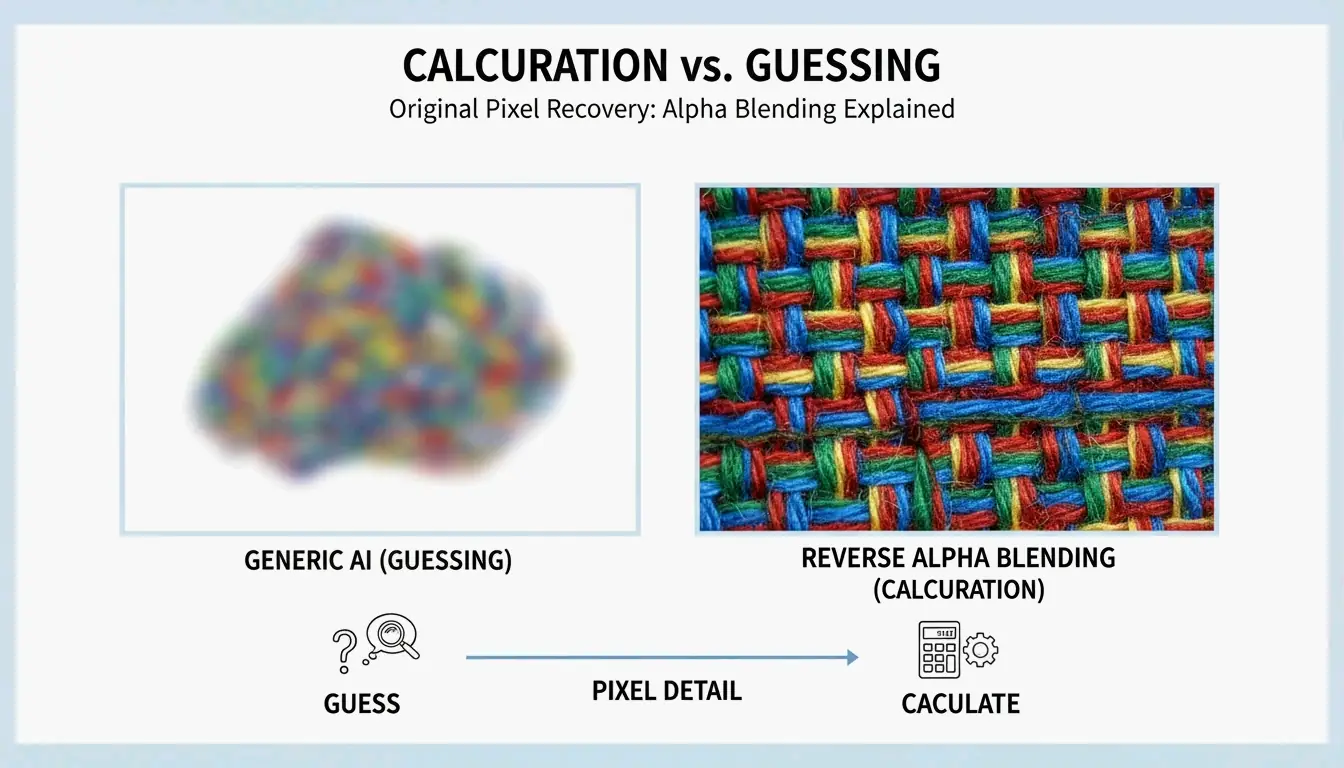
Standardmäßiges AI-Inpainting „rät” meist, wie die Pixel aussehen sollten, basierend auf dem Hintergrund. Reverse Alpha Blending zieht hingegen die Werte des Wasserzeichens ab, um wiederherzustellen, was darunter liegt. Dadurch bleiben feine Details – wie Hautporen oder die Webstruktur eines Stoffes – knackig und unangetastet.
Schritt 1: Wasserzeichen-Skala und Alpha-Map identifizieren
Der erste Schritt in einem professionellen 2026-Workflow besteht darin herauszufinden, mit welcher Version des Wasserzeichens Sie es zu tun haben. Technische Anleitungen von allenks GeminiWatermarkTool zeigen, dass Google abhängig von der Bildauflösung zwei Hauptgrößen verwendet:
- 48x48px-Variante : Verwendet für kleinere Bilder (Breite oder Höhe ≤ 1024px), meist 32px von der unteren rechten Ecke entfernt platziert.
- 96x96px-Variante : Verwendet für hochauflösende Bilder (B & H > 1024px), typischerweise mit einem 64px-Rand.
Moderne Werkzeuge wie GeminiWatermarkRemover.io nutzen inzwischen „Smart Detection” – einen dreistufigen Abgleichsprozess –, um diese exakten Koordinaten automatisch zu erfassen.
Schritt 2: Reverse Alpha Blending für verlustfreie Wiederherstellung anwenden
Sobald die Größe bestätigt ist, wendet das Werkzeug eine Umkehrformel an: Original = (Watermarked - Alpha * Logo) / (1 - Alpha). Durch Verwendung der exakten Transparenzvorlagen (Alpha-Maps), die Google verwendet, berechnet die Software die Originalfarbe der verdeckten Pixel.
Für die meisten Nutzer bedeutet das einfach, in den Einstellungen den Modus „Reverse Alpha” auszuwählen. Diese Methode ist „deterministisch” – eine elegante Art zu sagen, dass sie jedes Mal dasselbe hochwertige Ergebnis liefert, solange das Bild nicht stark komprimiert oder skaliert wurde.
Beste Werkzeuge zur Entfernung von Gemini Nano Banana 2 im Jahr 2026
Die Wahl des Werkzeugs hängt davon ab, wie viele Bilder Sie haben und welche Anforderungen Sie an den Datenschutz stellen. Im Jahr 2026 setzen mehr Menschen auf lokale, Offline-Verarbeitung, um ihre AI-generierten Inhalte von Servern Dritter fernzuhalten.
Die Profi-Wahl: GeminiWatermarkTool (CLI & Desktop)
Für Entwickler und Power-User ist GeminiWatermarkTool (allenk) die Top-Empfehlung. Es ist eine portable C++-Anwendung, die vollständig offline arbeitet. Laut allenks Dokumentation erreicht sie eine Wiederherstellungsgenauigkeit von ±1 pro Kanal, sodass die Entfernung selbst bei 100%-Zoom unsichtbar bleibt.
Das 2026-Update enthält ein GPU-beschleunigtes Feature namens FDnCNN (Fast Discrete Convolutional Neural Network). Es hilft, winzige „Sparkle”-Artefakte zu beseitigen, die zurückbleiben, wenn das Bild komprimiert wurde. Dank Vulkan-Beschleunigung verarbeitet es diese Bereiche in weniger als 5ms.
Browserbasierte Lösungen: GeminiWatermarkRemover.io vs. PixPretty
Wenn Sie nur eine schnelle Lösung ohne Installation benötigen, probieren Sie Folgendes:
- GeminiWatermarkRemover.io : Dies ist die beste Online-Option für pixelgenaue Ergebnisse. Es läuft zu 100% in Ihrem Browser (clientseitig), sodass Ihr Bild niemals wirklich Ihren Computer verlässt. Es ist speziell auf den Nano Banana 2-Stern abgestimmt.
- PixPretty AI Object Remover : Wie Emma Collins anmerkt, ist PixPretty die bessere Wahl, wenn das Wasserzeichen auf etwas Unordentlichem wie Haaren oder Gras liegt. Es kombiniert Reverse Blending mit leistungsstarkem AI-Retuschieren, um die Lücken zu füllen.
Automatisierte Workflows: Integration von MCP Servers und Claude Code
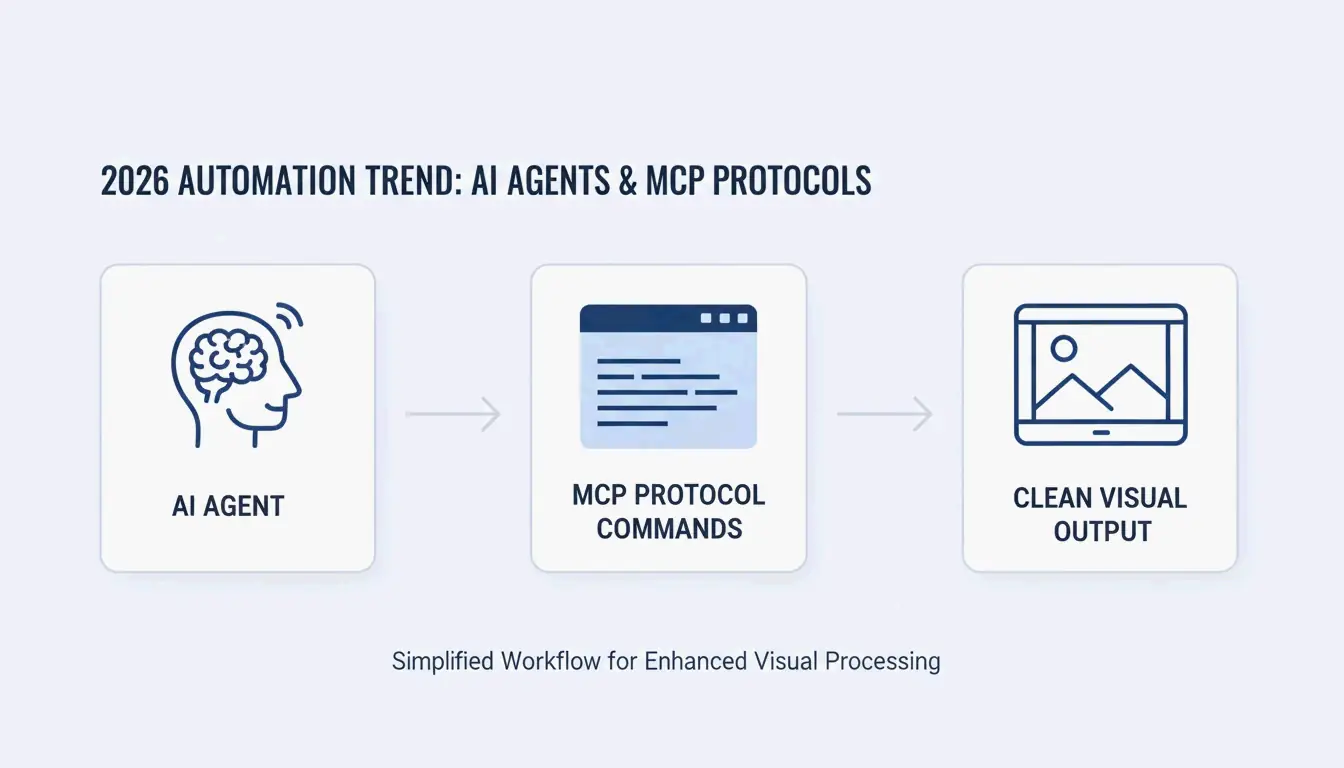
Eine große Veränderung im Jahr 2026 ist die Art, wie wir dies automatisieren. Mit dem Model Context Protocol (MCP) können Entwickler GeminiWatermarkTool direkt an AI-Agenten wie Claude oder Cursor anbinden. Dadurch kann ein AI-Agent ein mit Wasserzeichen versehenes Bild „sehen” und es automatisch mit einem einfachen remove_watermark-Befehl bereinigen, bevor es jemals Ihr finales Dokument oder UI-Mockup erreicht.
Über den Stern hinaus: SynthID- und C2PA-Metadaten verstehen
Es ist wichtig zu wissen, dass der sichtbare „Nano Banana”-Stern nur eine Tracking-Ebene ist. Das Entfernen des Sterns macht das Bild nicht unauffindbar.
Die Realität von SynthID
SynthID, entwickelt von Google DeepMind, ist ein unsichtbares Wasserzeichen, das in die tatsächlichen Pixelfrequenzen eingewoben ist. Wie Allen Kuo erklärt, lässt sich SynthID extrem schwer entfernen, weil es über das gesamte Bild verteilt ist. Die meisten Bildbearbeitungswerkzeuge – selbst solche, die den sichtbaren Stern entfernen – stören SynthID nicht genug, um ihn vor Googles Scannern zu verbergen.
C2PA-Compliance und Metadata Scrubber
Gemini-Bilder tragen außerdem C2PA-Metadaten, die auf Plattformen wie Instagram die Kennzeichnung „Made with AI” auslösen. Während Pixel-Entfernungswerkzeuge auf das Bild selbst fokussiert sind, verwenden professionelle Workflows im Jahr 2026 häufig einen separaten „Metadata Scrubber”, um diese digitalen Manifeste für interne Unternehmenspräsentationen zu löschen.
Hybride Techniken für skalierte oder komprimierte Bilder
Reverse Alpha Blending ist theoretisch perfekt, benötigt aber eine „pixelgenaue” Ausrichtung. Wenn ein Bild für eine Webseite verkleinert oder als JPEG in niedriger Qualität gespeichert wurde, versagt die Mathematik und hinterlässt oft einen schwachen „Ghost” des Sterns.
Software-Inpainting: Wann NS- vs. TELEA-Algorithmen verwenden
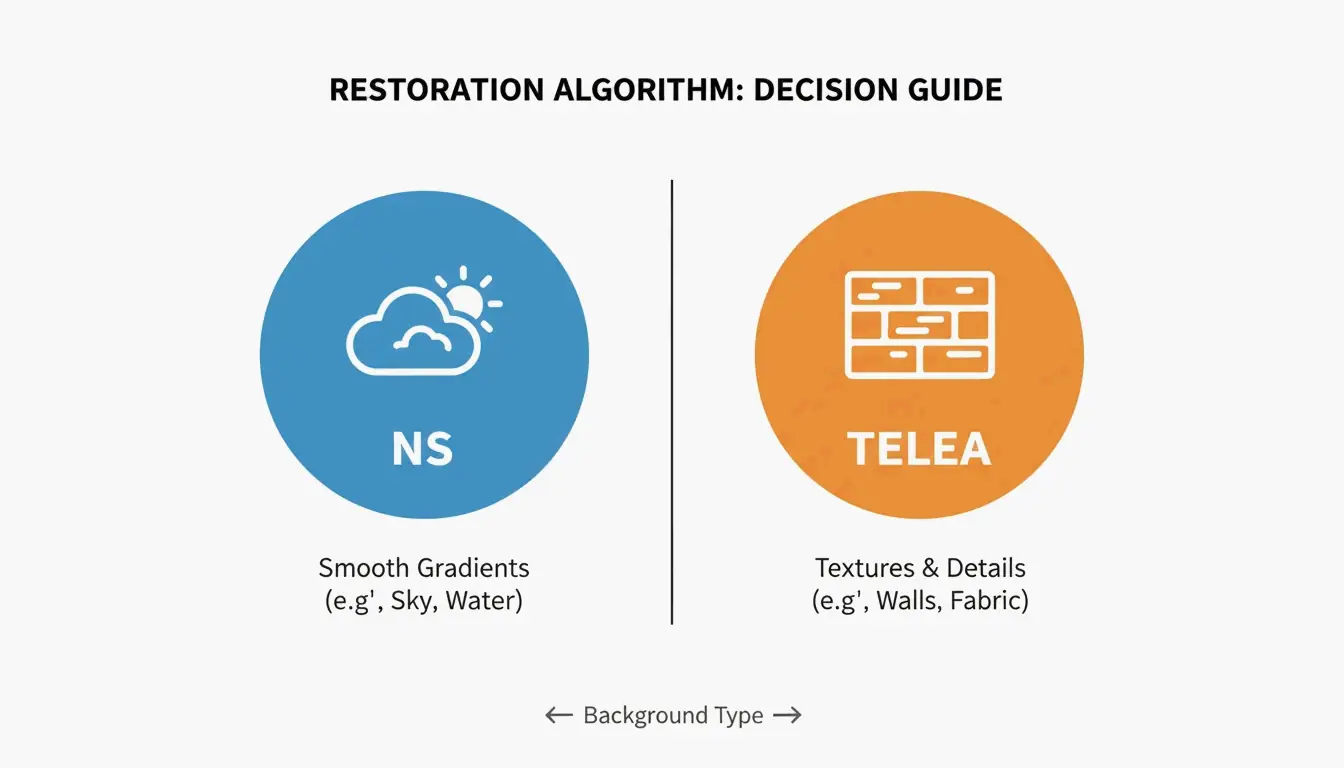
Wenn die Mathematik nicht perfekt funktioniert, nutzen hybride Werkzeuge „Inpainting” zum Ausbessern. Wählen Sie Ihren Algorithmus nach dem Hintergrund:
- Navier-Stokes (NS) : Am besten für glatte Bereiche wie Himmel oder unscharfe Hintergründe. Es „fließt” die umgebenden Farben an die betreffende Stelle.
- TELEA : Dies ist schneller und eignet sich besser für kleine Korrekturen auf strukturierten Oberflächen wie Beton, Holz oder Stoff.
Der „Smart Crop”-Notfallplan
Wenn der Hintergrund zu komplex zum Reparieren ist, ist die Smart Crop Method die zuverlässigste Backup-Lösung. Werkzeuge wie Wilnexo automatisieren dies, indem sie einen präzisen Streifen von 56px bis 128px vom unteren Rand abschneiden. Dadurch wird das Wasserzeichen vollständig entfernt, allerdings ändert sich die Form Ihres Bildes leicht.
Fazit
Das „Nano Banana”-2-Wasserzeichen lässt sich mit Werkzeugen wie GeminiWatermarkTool mathematisch umkehren, jedoch ist das unsichtbare SynthID-Tracking ein dauerhafter Bestandteil von Googles Ökosystem. Für die besten Ergebnisse im Jahr 2026 verwenden Sie Reverse Alpha Blending statt generischer Radierer, um Ihre Bildtexturen scharf zu halten. Für Profis gilt: Denken Sie daran, einen C2PA-konformen Scrubber zu verwenden, wenn Sie die Metadaten löschen müssen. Bedenken Sie: Ein sauber aussehendes Bild ist nicht dasselbe wie ein anonymes – SynthID kann selbst nach Entfernen des Sterns noch von spezieller Software erkannt werden.
FAQ
Entfernt ein Upgrade auf Gemini Advanced oder Pro automatisch alle Wasserzeichen?
Nein, Google behält Wasserzeichen aus Gründen der AI-Sicherheitscompliance über alle Tarife hinweg bei, einschließlich kostenpflichtiger Abonnements. Advanced- und Pro-Nutzer sehen im Jahr 2026 weiterhin den „Nano Banana”-Stern auf generierten Ausgaben. Während einige Regionen möglicherweise „watermark-free”-Downloads für bestimmte Enterprise-Tarife anbieten, bleibt das Standardverhalten von Gemini, sichtbare und unsichtbare Markierungen einzubinden.
Warum können SynthID-unsichtbare Wasserzeichen nicht von Standard-Bearbeitungswerkzeugen entfernt werden?
SynthID ist im Pixelfrequenzbereich eingebettet und keine oberflächliche Überlagerung. Es ist adversariell trainiert, um gängigen Transformationen zu widerstehen. Standard-Bearbeitungsvorgänge – wie das Zuschneiden des sichtbaren Sterns, das Anpassen von Farben oder das Hinzufügen von Rauschen – stören das zugrunde liegende mathematische Muster nicht ausreichend, um zu verhindern, dass AI-Detektoren den synthetischen Ursprung des Bildes identifizieren.
Ist es illegal, Gemini-Wasserzeichen für professionelle Kundenpräsentationen zu entfernen?
Die Rechtmäßigkeit hängt von Ihrer Rechtsordnung und den spezifischen Nutzungsbedingungen von Google ab. Generell ist das Entfernen von Wasserzeichen für interne Nutzung oder persönliche Präsentationen erlaubt. Eine kommerzielle Weiterverbreitung kann jedoch eine „AI-generated”-Offenlegung gemäß C2PA-Standards erfordern. Es wird empfohlen, lokale Gesetze zum geistigen Eigentum zu konsultieren, wenn Sie bereinigte Bilder für öffentlich zugängliche Werbeanzeigen verwenden möchten.
Über den Autor
Indie-Hacker & EntwicklerIch bin ein Indie-Hacker, der iOS- und Webanwendungen entwickelt, mit Fokus auf die Erstellung praktischer SaaS-Produkte. Ich spezialisiere mich auf AI SEO und erkunde ständig, wie intelligente Technologien nachhaltiges Wachstum und Effizienz fördern können.
Zuletzt geprüft 2. Juli 2026. Dieser Artikel wird auf Richtigkeit geprüft und aktualisiert, wenn sich Tooling oder Plattformverhalten ändern.
Redaktionsrichtlinien
Wie ImageLean veröffentlichte Leitfäden recherchiert, testet und aktualisiert.
Werbeoffenlegung
Wie wir Werbung, Sponsoring und Monetarisierung auf der Website handhaben.
Datenschutzansatz
Warum unsere Tools datenschutzfirst sind und wie browserbasierte Verarbeitung funktioniert.