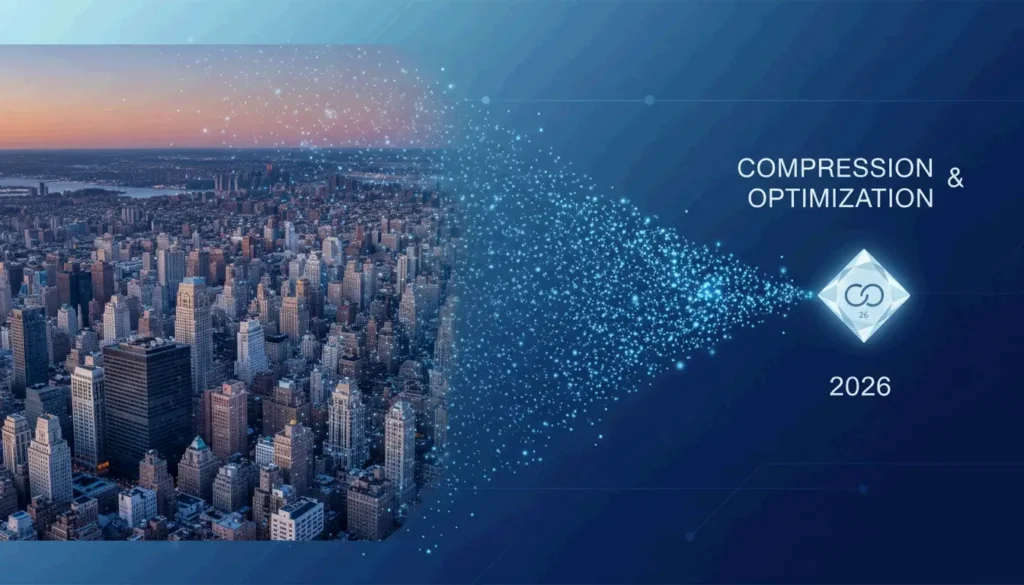
How to Compress Photos in 2026: The Ultimate Guide to Reducing File Size Without Losing Quality

How to Compress Photos in 2026: The Ultimate Guide to Reducing File Size Without Losing Quality

5 min read

To compress photos in 2026, use online tools like TinyJ […]

To compress photos in 2026, use online tools like TinyJPG or professional software like Adobe Photoshop. You can reduce file sizes by up to 90% by adopting modern formats like WebP or AVIF, setting quality sliders to the 75-85% “sweet spot,” and resizing dimensions to a standard 1000px width for web use.

The 2026 Standard: How to Compress Photos Efficiently

By 2026, photo compression has moved beyond simple file shrinking. Today, it’s all about AI-driven optimization. The goal is straightforward: get the smallest File Size (KB/MB) possible without losing that professional, crisp look. Modern standards now favor next-generation formats like AVIF over traditional JPEG / JPG because they pack much more visual data into a smaller footprint.

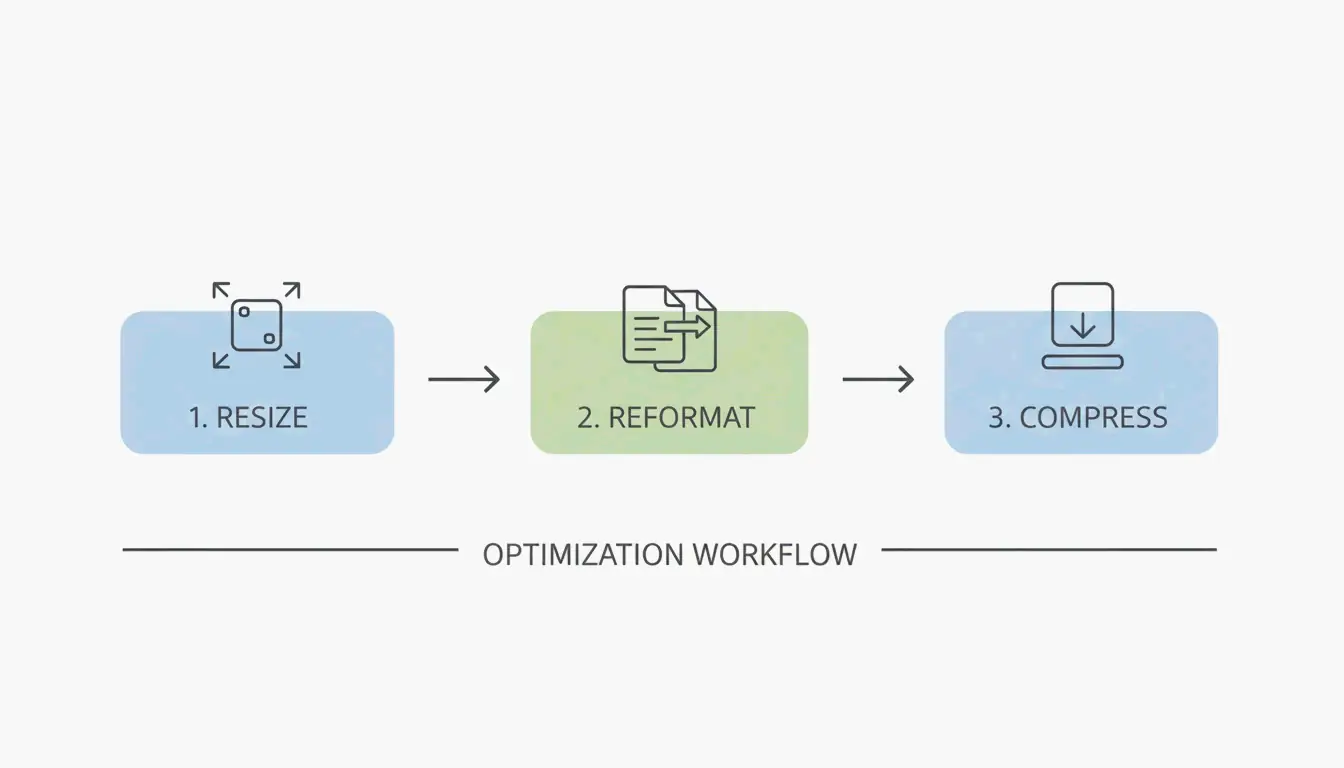
To get professional results, follow these three core steps:

  1. Resize: Scale down the pixel dimensions to fit where the image will actually be displayed.
  2. Reformat: Switch older formats to high-efficiency types like WebP or AVIF.
  3. Compress: Use a quality reduction algorithm to strip away data the human eye won’t notice.

A simple 3-step workflow: Resize -> Reformat -> Compress.

A key rule for 2026 is the “Sweet Spot” principle. Setting your compression quality between 75% and 85% is the gold standard for the web. This range cuts the megabytes significantly without causing “pixelation” or blurry artifacts. As the Tech Guide Admin puts it, “Smart compression is better than aggressive compression.” In other words, it’s better to optimize intelligently than to ruin an image just to save a few extra kilobytes.

According to Mass Image Compressor, modern utilities can now achieve a 90% reduction in size. This makes it easy to share high-resolution galleries instantly, even over mobile networks.

Setting the Right Resolution / Dimensions for Web

High-end cameras often take photos much larger than any digital screen can actually show. For typical web use, the UCSC web optimization standard recommends a maximum width of 1000 pixels for the longest edge. Resizing a 3000px image down to 1000px slashes the file size before you even start the actual compression process.

Why WebP and AVIF are the New Kings of Compression?

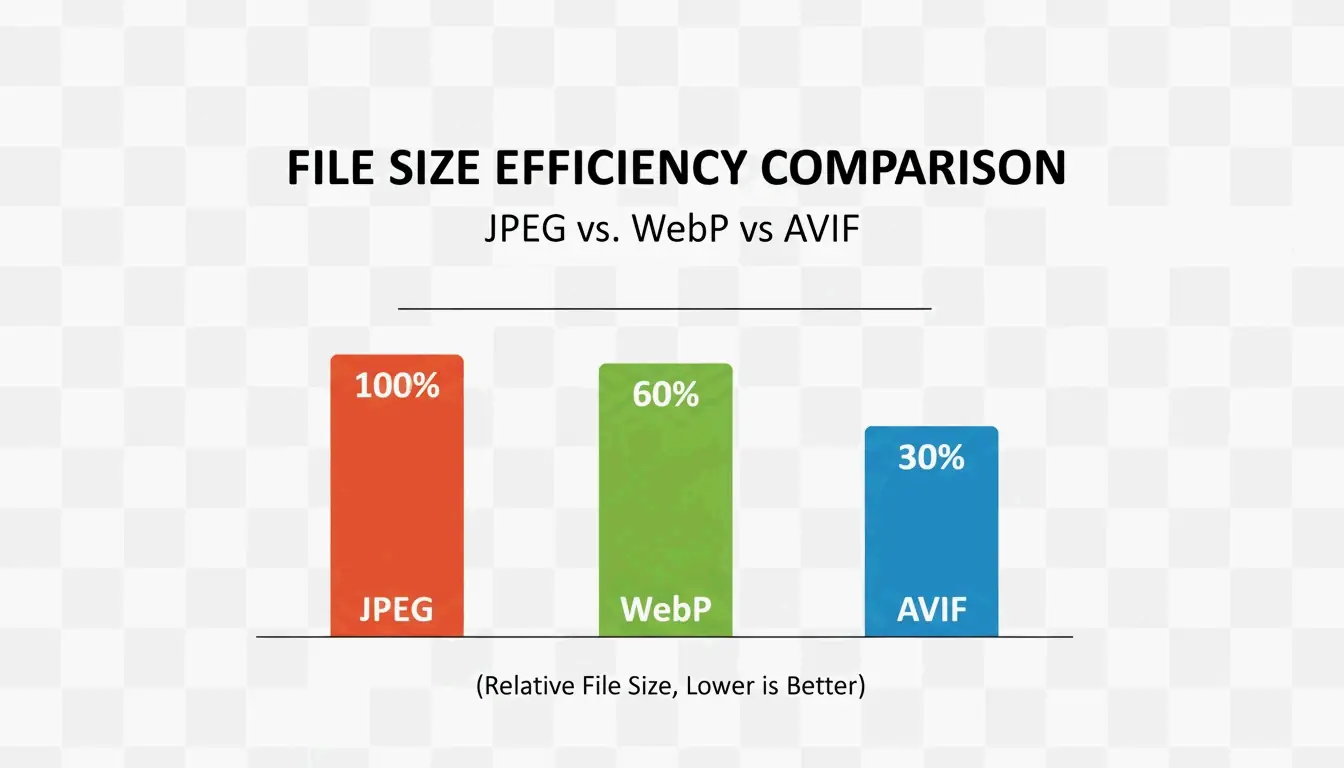
Image formats have evolved to keep up with mobile data limits and the need for instant loading. While JPEG / JPG is still the most compatible format, it isn’t the most efficient anymore. WebP is now the industry standard for the web, offering file sizes 25-35% smaller than JeneGs of the same quality.

In 2026, AVIF has taken the lead for mobile-first environments. It compresses even better than WebP, often shrinking files by another 20% while keeping fine details sharp in high-contrast areas. Since most modern browsers now support AVIF, it’s the top choice for anyone looking to save on cloud storage.

A clean comparison of file sizes between JPG, WebP, and AVIF.

Professional Tools for Batch Compression

If you’re working with hundreds of images, Batch Compression is a lifesaver. Professional software like Adobe Photoshop gives you total control via the “Export As” function. You can head to File > Export > Export As to adjust the quality slider and see a real-time preview of the final file size.

Managing mobile formats is also a common hurdle. To use HEIC files from an iPhone on a Windows PC or the web, tools like Ashampoo Image Compressor (which noted an 80% size reduction capability in 2024) or Easy Photo Compressor allow you to convert them to JPEG or WebP while keeping all your important metadata intact.

Best Free Online Compressors for Quick Gains

If you just need to fix a few images without downloading software, these browser-based tools work great:

  • TinyJPG/TinyPNG: The go-to for automatic JPEG and PNG optimization.
  • JPG20KB: A specialized tool for shrinking images to tiny targets, like 20KB, which is often required for government forms or IDs.
  • pdfFiller: A helpful option for compressing photos to 300kb or smaller when you need to embed them in legal documents.

Troubleshooting: How to Fix Over-Compressed Photos?

Over-compression happens when the quality slider is pushed too low, leading to “blocking” or “banding” (those ugly blocks of color in your sky or shadows). If your photos look blurry, you’ve likely gone below the 75% quality floor.

To fix a damaged file, you can try an AI-driven tool like 4DDiG AI Photo Enhancer. According to 4DDiG, these tools use neural networks to “fill in” the missing data. They essentially upscale the image and clean up the compression mess to bring back the original clarity.

Conclusion

Compressing photos in 2026 isn’t just about JPEGs; it’s about using AVIF and AI tools to reach that 80-90% reduction mark without the image looking “cheap.” High-res files from modern cameras can easily top 50MB, but with the right workflow, you can make them small enough to share anywhere. For the best results, start by converting your library to WebP or AVIF and aim for that 75-85% quality “sweet spot.” By resizing your images to 1000px wide for the web, you’ll keep your content fast, professional, and accessible on any device.

FAQ

What is the difference between lossy and lossless compression?

Lossy compression, used in formats like JPEG and WebP, removes certain data to shrink file sizes significantly, making it ideal for web use and social media. Lossless compression, used in PNG and TIFF, keeps all original data for perfect quality, but results in much larger files, which is best for professional printing or high-end archival.

How do I compress photos on an iPhone without losing quality?

The most effective way is to use the “High Efficiency” (HEIC) format found in your Camera Settings, which captures high-quality data at half the size of a JPEG. For sharing, you can use the Shortcuts app or third-party tools like Easy Photo Compressor to resize the dimensions and convert the file to WebP.

Which image format offers the best balance in 2026?

AVIF is the 2026 leader for achieving maximum compression with high fidelity, especially for mobile users. However, WebP remains the most compatible high-efficiency choice across all platforms and browsers, providing a safe middle ground for web developers and casual users who need both speed and reliability.

作者

SJ

SectoJoy

独立开发者

我是一名独立开发者,专注于构建 iOS 和 Web 应用程序,致力于打造实用的 SaaS 产品。我擅长 AI SEO,不断探索智能技术如何推动可持续增长和效率提升。

Table of Contents