¿Puede la IA eliminar la marca de agua de las fotos? Guía 2026 de las mejores herramientas y técnicas
Tabla de contenidos
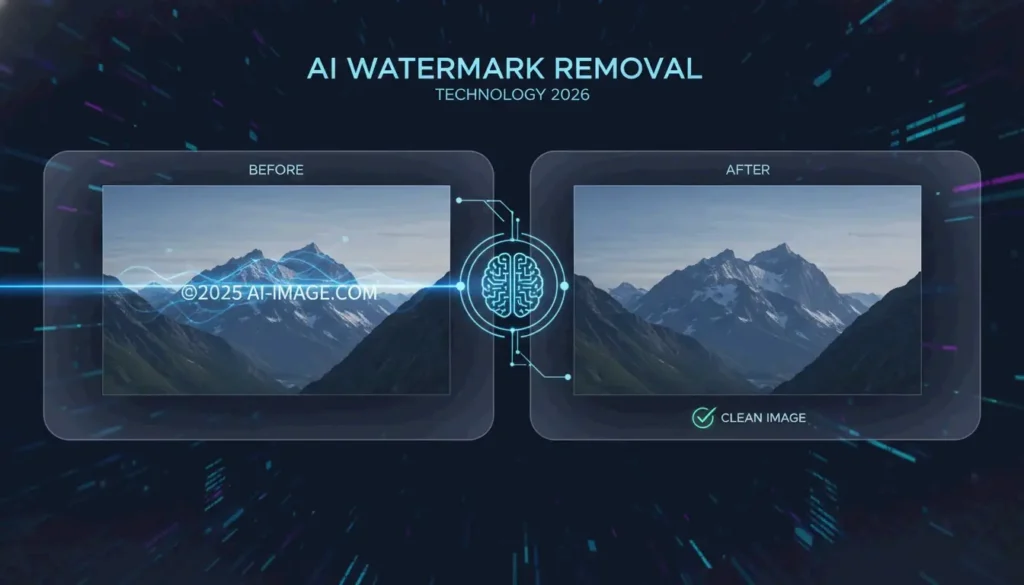
Sí. En 2026, la IA puede eliminar la marca de agua de las fotos con gran precisión. Gracias al aprendizaje profundo, herramientas como Pixelbin y HitPaw emplean Generative Inpainting para reconstruir fondos, o Reverse Alpha Blending para revertir matemáticamente las superposiciones semitransparentes. Estas técnicas limpian etiquetas complejas generadas por IA — como la «Nano Banana» de Gemini — sin degradar la calidad de imagen.
¿Cómo elimina la IA la marca de agua de las fotos? Análisis técnico 2026
La eliminación de marcas de agua ha avanzado mucho más allá de la edición manual con el clone-stamp. Las redes neuronales modernas analizan el contexto de la imagen para restaurar de forma inteligente las áreas cubiertas. En 2026, el verdadero reto no es la visibilidad, sino cómo está incrustada la marca de agua. Los logos estándar son sencillos de borrar, pero los marcadores invisibles como SynthID están entretejidos en la estructura matemática de la imagen, lo que los hace extremadamente difíciles de eliminar sin pérdida de calidad.
Según HitPaw, su solución de IA mantiene un 98% de satisfacción en más de 6.5 millones de descargas. Estos sistemas se apoyan en dos métodos fundamentales:
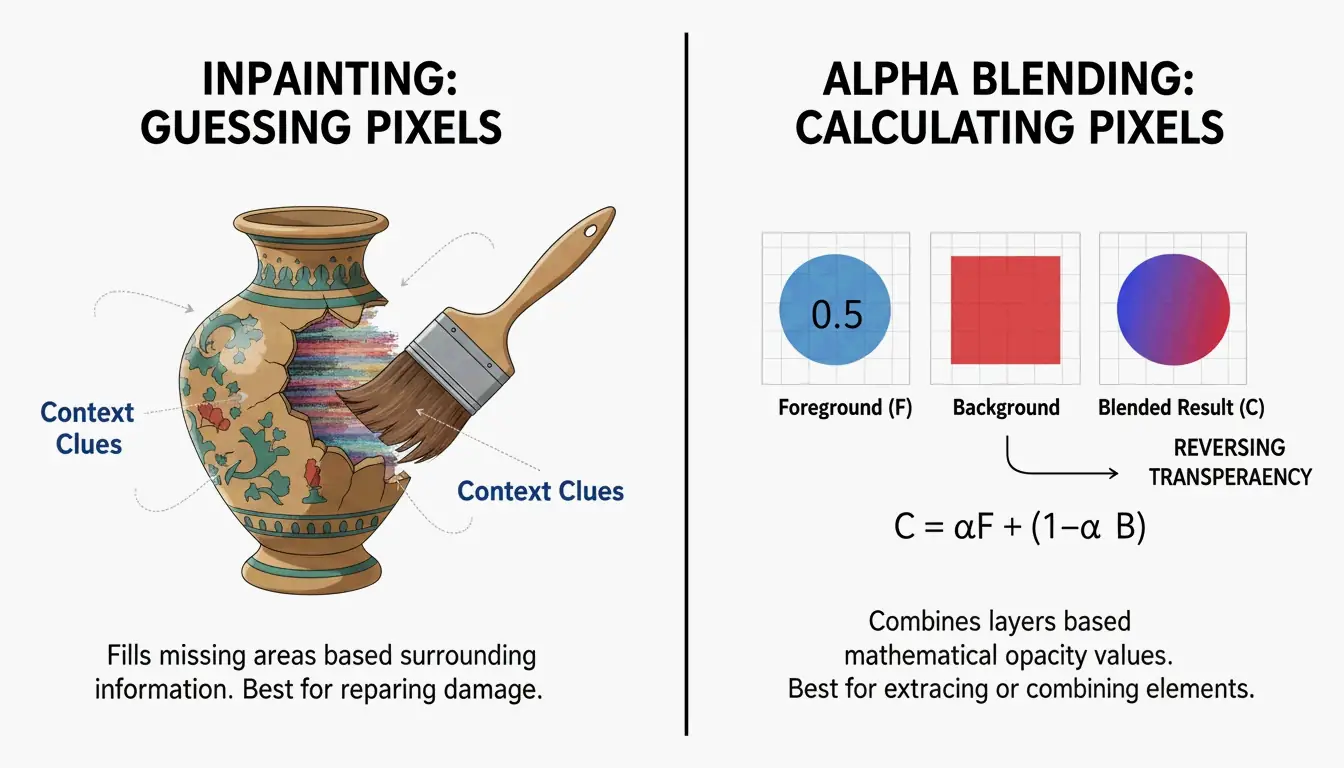
Generative Inpainting: reconstrucción de píxeles perdidos
Generative Inpainting funciona analizando los píxeles sanos que rodean una marca de agua — observando texturas, iluminación y patrones — para predecir qué debería haber detrás del logo. Herramientas como HitPaw usan modelos de Content-Aware Fill para rellenar los huecos automáticamente, fusionando los nuevos píxeles de forma natural con la imagen circundante.
Reverse Alpha Blending: recuperación matemática de píxeles
A diferencia del inpainting, Reverse Alpha Blending es un cálculo, no una predicción. La mayoría de las marcas de agua se aplican con la fórmula: Watermarked = alpha x Logo + (1 - alpha) x Original. Si la IA logra determinar esa fórmula (el mapa alpha), invierte la operación matemática para recuperar los píxeles originales. Este es el método óptimo para texto semitransparente, porque restaura datos reales en lugar de pintar por encima.
Eliminar marcas de agua generadas por IA: Gemini (Nano Banana) y Meta AI
Para 2026, ha surgido una nueva categoría de reto: las marcas de agua generadas por los propios sistemas de IA, como la etiqueta «Imagined with AI» de Meta y el patrón «Nano Banana» de Google. Están diseñadas para ser persistentes. Las herramientas de eliminación estándar suelen dejar artefactos visibles.
La investigación de Allen Kuo produjo 48 ×48 y 96 ×96 Reverse-Alpha Masks especializadas para las marcas de agua de Gemini. Al enfocarse en la matemática exacta de mezcla que usa Google, estos scripts consiguen una limpieza a nivel de píxel que los borradores de propósito general no pueden igualar.
El flujo de trabajo «IA contra IA» para medios sintéticos
Para resultados profesionales en imágenes generadas por IA, los expertos despliegan un flujo de trabajo de dos pasadas. Tras eliminar la marca de agua inicial, una segunda pasada con modelos como FDnCNN (Fast Deep Convolutional Neural Network) limpia los artefactos residuales en los bordes. Como señala Allen Kuo, eliminar SynthID sin pérdida de calidad es casi imposible, porque está entrelazado con toda la imagen. Sin embargo, para las etiquetas visibles, los denoisers acelerados por GPU eliminan eficazmente el «brillo» o los bordes borrosos que dejan las herramientas básicas.
Los mejores eliminadores de marca de agua con IA en 2026: clasificados por rendimiento
El mercado se divide entre herramientas web accesibles y scripts para desarrolladores potentes. Una prueba de 2026 sobre 15 servicios realizada por GStory AI concluyó que el rendimiento depende en gran medida de la complejidad del fondo y de la opacidad de la marca de agua.
Mejores opciones gratuitas para ediciones web rápidas
| Herramienta | Fortaleza clave | Formatos soportados | Nivel gratuito |
|---|---|---|---|
| GStory AI | Reconstrucción de áreas complejas | JPG, PNG, WEBP | 50 free credits |
| DeWatermark.ai | Gestión de múltiples marcas de agua | JPG, PNG | Auto 3.0 mode |
| Phototune AI | Simplicidad sin registro | JPG, PNG (hasta 10MB) | Free |
| Pixelbin | Soporte de formatos modernos | WEBP, HEIC | Auto Mode |
Herramientas profesionales para procesamiento por lotes y activos de alta resolución
Para trabajo masivo, el Batch Processing es esencial. PhotoGrid permite procesar hasta 20 fotos simultáneamente sin coste. Para desarrolladores, herramientas de GitHub como la Gemini Watermark Tool pueden integrarse en Claude Code Skills o MCP Servers , lo que permite a los agentes de IA gestionar la eliminación de forma automática dentro de los flujos de trabajo locales usando FDnCNN para obtener resultados de alta resolución.
Paso a paso: cómo usar la IA para eliminar marcas de agua sin pérdida de calidad
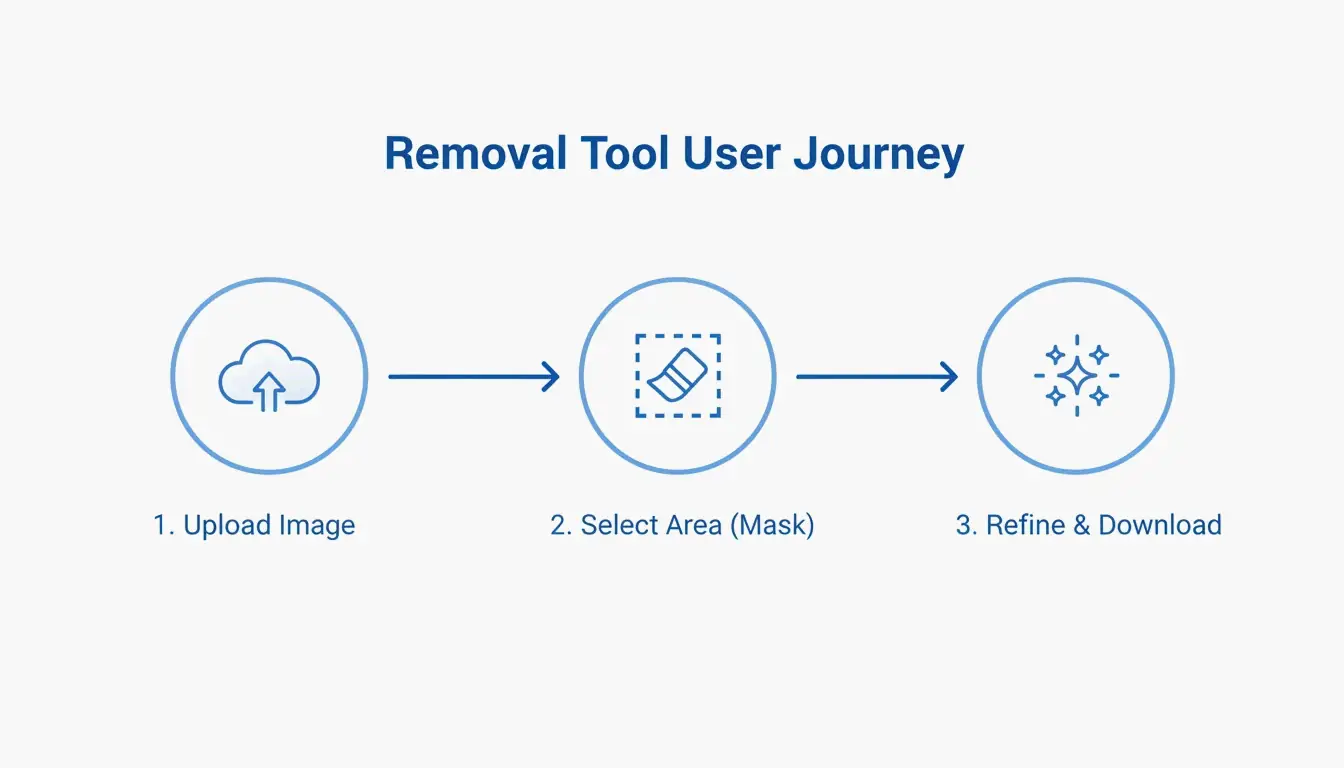
La mayoría de las herramientas de IA simplifican el proceso en tres fases:
- Subir : Selecciona tu archivo (JPG, PNG o WEBP). Herramientas como Pixelbin aceptan archivos de hasta 10MB.
- Selección de máscara : Deja que «Auto Mode» detecte el logo, o usa un pincel manual para resaltar la zona.
- Refinamiento : Tras la eliminación, usa una «Magic Brush» o Content-Aware Fill para limpiar cualquier punto que la IA haya pasado por alto.
Solución de problemas: qué hacer cuando la IA deja un desenfoque
Si queda una zona borrosa, es probable que el fondo fuera demasiado complejo para que la IA lo predijera con precisión. Ejecuta una segunda pasada con un denoiser como FDnCNN para suavizar el ruido. Para el acabado final, un retoque rápido con una herramienta Clone Stamp en un editor como Photopea ofrece resultados de calidad profesional.
Conclusión
La eliminación de marcas de agua en 2026 ha evolucionado desde el simple desenfoque hasta la precisión matemática mediante Reverse Alpha Blending. Ya sea para tratar un logo de copyright estándar o una etiqueta «Nano Banana» de Gemini resistente, las herramientas actuales están a la altura. Para arreglos rápidos, las herramientas web como GStory o Pixelbin son las opciones más accesibles. Para fotógrafos y profesionales que exigen una salida perfecta a nivel de píxel, las herramientas basadas en GitHub y las integraciones con MCP servers ofrecen el máximo control sin las «alucinaciones» típicas de los borradores de IA básicos.
Preguntas frecuentes
¿Es legal eliminar marcas de agua de imágenes para uso personal?
Por lo general, eliminar una marca de agua es ilegal si infringe el copyright, conforme a lo protegido bajo DMCA Section 1202. Pueden existir excepciones para recuperar tus propios activos perdidos o para usos que entren dentro de disposiciones específicas de fair use. Verifica siempre la licencia del creador original antes de modificar una imagen.
¿Puede la IA eliminar marcas de agua invisibles como SynthID de Google?
No. Aunque la IA puede borrar los píxeles visibles de un logo, SynthID está incrustado en las características estructurales de la imagen. Eliminarlo suele requerir degradar la calidad de la imagen hasta un estado inutilizable. Según la investigación de Allen Kuo, SynthID sigue siendo detectable por herramientas de seguridad especializadas incluso después de una edición visible o un recorte.
¿Cómo eliminar marcas de agua de fotos en iPhone o Android sin una app?
Usa herramientas web optimizadas para móviles como DeWatermark.ai o GStory directamente en tu navegador móvil. Los navegadores móviles modernos admiten APIs de Generative Inpainting para la eliminación con un clic. Este enfoque evita los riesgos de seguridad de descargar apps «gratuitas» que pueden contener malware o publicidad excesiva.
Sobre el autor
Indie Hacker & DesarrolladorSoy un indie hacker que construye aplicaciones iOS y web, enfocado en crear productos SaaS practicos. Me especializo en AI SEO, explorando constantemente como las tecnologias inteligentes pueden impulsar el crecimiento sostenible y la eficiencia.
Última revisión 2 de julio de 2026. Este artículo se revisa para garantizar su precisión y se actualiza cuando cambian las herramientas o el comportamiento de la plataforma.
Política editorial
Cómo ImageLean investiga, prueba y actualiza las guías publicadas.
Divulgación de publicidad
Cómo gestionamos la publicidad, los patrocinios y la monetización en el sitio.
Enfoque de privacidad
Por qué nuestras herramientas priorizan la privacidad y cómo funciona el procesamiento basado en el navegador.